Table of Contents >> Show >> Hide
- Why Connecting with a Hiring Manager on LinkedIn Matters
- Step 1: Identify the Right Hiring Manager
- Step 2: Prepare Your LinkedIn Profile Before Reaching Out
- Step 3: Apply Before or Shortly After Connecting
- Step 4: Write a Personalized LinkedIn Connection Request
- Step 5: Send a Strong Follow-Up Message After They Accept
- Step 6: Make Your Message About Their Needs, Not Just Yours
- Step 7: Use the Right Tone
- Step 8: Share Proof, Not Just Passion
- Step 9: Follow Up Without Being Annoying
- Step 10: Know What Not to Do
- Message Templates for Different Situations
- How to Stay Safe When Networking on LinkedIn
- Experience-Based Advice: What Actually Happens When You Connect with Hiring Managers
- Conclusion
Connecting with a hiring manager on LinkedIn can feel a little like waving from across a crowded airport: you know exactly who you want to reach, but you also know shouting “Hire me!” is not the classiest opening move. The good news? LinkedIn gives job seekers a professional way to introduce themselves, show genuine interest, and move from “random applicant in the system” to “candidate with a name, a face, and a thoughtful message.”
The trick is learning how to connect with a hiring manager on LinkedIn without sounding pushy, generic, or like you copied your message from a dusty career-advice scroll. A strong LinkedIn connection request is short, personalized, relevant, and respectful of the hiring manager’s time. Think of it as a firm handshake, not a dramatic monologue.
This guide explains how to find the right person, prepare your LinkedIn profile, write a message that earns attention, follow up professionally, and avoid the common mistakes that make hiring managers quietly click “ignore” while sipping coffee with surgical precision.
Why Connecting with a Hiring Manager on LinkedIn Matters
Most job applications travel through applicant tracking systems, résumé reviews, recruiter screens, and internal discussions before a hiring manager ever sees them. That does not mean applying online is useless. It means your online application should not be your only move.
When done well, LinkedIn outreach can help you add context to your application. Instead of simply submitting a résumé and hoping the algorithm develops a generous personality, you can briefly introduce yourself, point to your strongest qualification, and show that you understand the company’s needs.
Networking also matters because professional relationships often reveal opportunities that are not always obvious on job boards. A thoughtful connection can lead to advice, a referral, a better understanding of the role, or simply a stronger impression when your application arrives.
Step 1: Identify the Right Hiring Manager
Before you send a LinkedIn connection request, make sure you are contacting the right person. A common mistake is messaging the first employee with “manager” in the title and hoping destiny handles the rest. Destiny is busy. Do some research.
Use LinkedIn Search Strategically
Start with the company name, job title, department, and keywords from the job posting. For example, if you are applying for a digital marketing specialist role, search combinations like:
- “Digital Marketing Manager” + company name
- “Marketing Director” + company name
- “Growth Marketing” + company name
- “Talent Acquisition” + company name
If the job posting says the role reports to a specific department, use that clue. A product designer may report to a design lead, a software engineer may report to an engineering manager, and a sales development representative may report to a sales manager. The right hiring manager is usually the person who leads the team, not necessarily the recruiter who posted the job.
Check Mutual Connections
If you have a mutual connection at the company, consider asking that person for guidance before contacting the hiring manager. A warm introduction often works better than a cold message. Even a quick note like, “Do you know who manages this team?” can save you from accidentally messaging the wrong Jennifer in Finance.
Step 2: Prepare Your LinkedIn Profile Before Reaching Out
Before a hiring manager replies to your message, they may click your profile. That means your LinkedIn page should support your outreach. If your profile headline still says “Student of Life” or your profile photo is a cropped vacation picture with someone else’s elbow in the corner, it may be time for a refresh.
Polish the Basics
Your profile does not need to be perfect, but it should be clear, professional, and relevant. Update these areas first:
- Headline: Use a role-focused headline, such as “Data Analyst | SQL, Tableau, Excel | Turning messy data into useful decisions.”
- About section: Write a short summary of your skills, goals, and value.
- Experience: Highlight results, not just tasks.
- Featured section: Add a portfolio, case study, writing sample, project, or certification if relevant.
- Skills: Match your skills to the job description naturally.
A strong profile makes your message easier to trust. It shows the hiring manager that you are not just enthusiasticyou are prepared.
Step 3: Apply Before or Shortly After Connecting
One of the smartest ways to message a hiring manager on LinkedIn is to connect your outreach to a real application. If you have already applied, say so. If you are about to apply, mention that as well.
This matters because hiring managers often cannot skip the official process. Even if they like your message, they may still need your résumé in the company’s system. Your LinkedIn note should support the formal application, not replace it.
A simple line works well:
“I recently applied for the Marketing Coordinator role and wanted to briefly introduce myself because the position aligns closely with my experience in email campaigns and content analytics.”
That sentence does three useful things: it explains why you are reaching out, confirms you followed the process, and gives the hiring manager a quick reason to care.
Step 4: Write a Personalized LinkedIn Connection Request
A LinkedIn connection request is not the place to attach your life story, your entire résumé, or a 900-word tribute to the company’s “innovative culture.” Keep it short. The goal is to open a door, not move your furniture into the hallway.
What to Include
Your connection request should include four simple ingredients:
- The hiring manager’s name
- The specific role or team you are interested in
- One brief reason you are a relevant candidate
- A polite request to connect
Example LinkedIn Connection Request
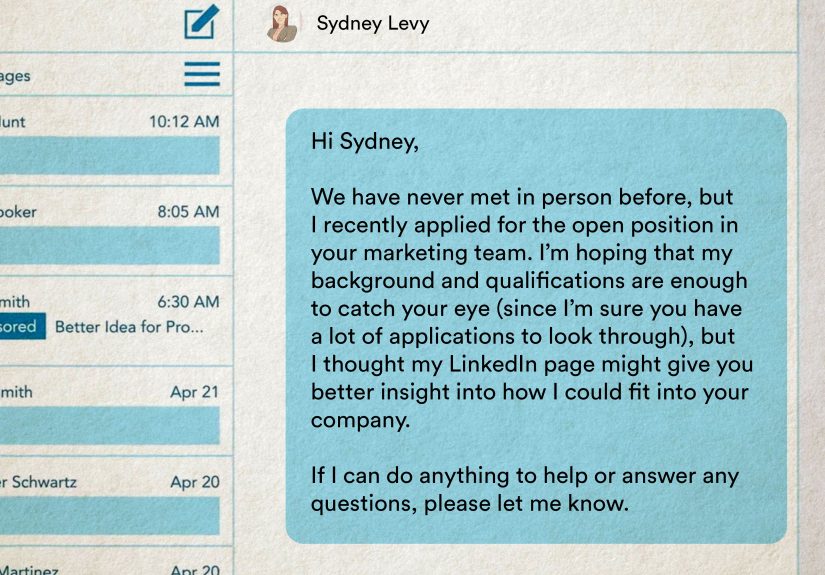
Hi Jordan, I recently applied for the Customer Success Manager role at BrightWave. My background in SaaS onboarding and account retention seems closely aligned with your team’s work. I’d be grateful to connect and follow your updates.
This message is specific, respectful, and easy to read. It does not ask for a job on the spot. It does not beg. It does not use the phrase “circle back synergistically,” which should be illegal in at least twelve states.
Step 5: Send a Strong Follow-Up Message After They Accept
If the hiring manager accepts your request, do not immediately celebrate by sending a giant wall of text. Instead, send a brief thank-you message that adds value and reinforces your fit.
Example Follow-Up Message
Hi Jordan, thank you for connecting. I applied for the Customer Success Manager opening and was especially interested in the role because of its focus on improving customer adoption. In my last role, I helped reduce onboarding delays by building clearer client training workflows. I’d appreciate any advice on what your team values most in candidates for this position.
This works because it is focused. It mentions the role, gives a relevant example, and asks for advice rather than demanding an interview. Hiring managers are more likely to respond to a thoughtful question than to a vague “Can you help me get this job?” message.
Step 6: Make Your Message About Their Needs, Not Just Yours
The best LinkedIn messages show that you understand the employer’s problem. Companies do not hire people because applicants want jobs. They hire people because teams need problems solved. Your message should make that connection clear.
Instead of writing:
“I really need a job and would love to work at your company.”
Try:
“I noticed the role emphasizes improving reporting workflows. In my current internship, I built weekly dashboard summaries that helped the team spot campaign issues faster.”
The second version shows relevance. It gives the hiring manager something concrete. It also quietly says, “I read the job description,” which already puts you ahead of many applicants who appear to have applied using a potato-powered cannon.
Step 7: Use the Right Tone
Professional does not mean robotic. You can be warm, friendly, and human without sounding casual in the wrong way. A good tone is confident but not entitled, enthusiastic but not breathless, and concise but not cold.
Good Tone
- “I’d be grateful to connect.”
- “I’m interested in learning more about the team’s priorities.”
- “Thank you for your time and consideration.”
- “I appreciate any guidance you’re able to share.”
Tone to Avoid
- “Please review my profile immediately.”
- “I am the perfect candidate.”
- “Can you guarantee me an interview?”
- “I have messaged you three times this week.”
Confidence is attractive. Pressure is not. Your goal is to make the hiring manager think, “This person is professional and prepared,” not “This person has turned my notifications into a haunted house.”
Step 8: Share Proof, Not Just Passion
Passion is great, but hiring managers need evidence. If you say you are passionate about marketing, product design, accounting, or software development, add one quick proof point.
For example:
- “I increased newsletter click-through rates by testing subject lines and segmenting audiences.”
- “I built a Python project that automates weekly reporting.”
- “I supported a team of 40 employees by improving scheduling accuracy.”
- “I created onboarding documentation that reduced repeated customer questions.”
Numbers are helpful when you have them, but you do not need a trophy cabinet full of metrics. Specific examples beat vague enthusiasm every time.
Step 9: Follow Up Without Being Annoying
If the hiring manager does not respond, do not panic. People are busy. LinkedIn inboxes can look like a digital junk drawer. A polite follow-up after several business days is reasonable. Three follow-ups in two days is a tiny parade of red flags.
Example Follow-Up
Hi Jordan, I wanted to follow up briefly on my note. I remain very interested in the Customer Success Manager role and would appreciate any direction on the best way to highlight my onboarding experience for your team. Thank you again.
If there is still no reply, move on gracefully. Continue applying, networking, and building conversations elsewhere. One silent hiring manager is not a verdict on your talent. It may simply mean they are buried under meetings, deadlines, and a calendar that looks like Tetris lost a fight.
Step 10: Know What Not to Do
Learning how to connect with a hiring manager on LinkedIn also means knowing which behaviors to avoid. A good message can help you stand out; a bad one can also help you stand out, but in the way a smoke alarm stands out during dinner.
Do Not Send Generic Copy-Paste Messages
Hiring managers can spot generic messages quickly. “Dear Sir/Madam, I am interested in your esteemed organization” sounds like it escaped from a 1998 fax machine. Use the person’s name, the company name, and the specific role.
Do Not Ask for Too Much Too Soon
A first message should not ask for a referral, a job offer, a résumé review, and a 45-minute call. Start small. Ask to connect, ask for one piece of advice, or mention that you applied.
Do Not Ignore the Application Process
Even if you connect with the hiring manager, still apply through the official channel. Many companies require it for compliance and tracking. Your LinkedIn outreach should add visibility, not replace the process.
Do Not Overshare Personal Details
You can be sincere without giving a full emotional documentary. Focus on the role, your qualifications, and your interest in the team.
Message Templates for Different Situations
Template 1: Before Applying
Hi [Name], I’m preparing to apply for the [Job Title] role at [Company]. The position caught my attention because of its focus on [specific responsibility]. My background in [relevant skill] seems closely aligned, and I’d be grateful to connect.
Template 2: After Applying
Hi [Name], I recently applied for the [Job Title] position at [Company] and wanted to briefly introduce myself. I have experience in [specific skill or achievement], which connects closely with the role’s focus on [job requirement]. Thank you for considering my request.
Template 3: Asking for Insight
Hi [Name], thanks for connecting. I’m interested in the [Job Title] role and would appreciate any insight into what your team values most in a strong candidate. I’m especially interested in contributing through [relevant skill or experience].
Template 4: After an Interview
Hi [Name], thank you again for the opportunity to discuss the [Job Title] role. I enjoyed learning more about [specific topic from interview]. Our conversation made me even more excited about contributing to [team goal or company priority].
How to Stay Safe When Networking on LinkedIn
Most LinkedIn outreach is normal professional networking, but job seekers should still be careful. Fake recruiters and job scams can appear on LinkedIn and other job platforms. Before sharing sensitive information, verify that the person works at the company, check the company’s official careers page, and be cautious with messages that promise unusually high pay, instant hiring, or ask for money.
A legitimate employer should not ask you to pay upfront fees, deposit a check for equipment, or send sensitive personal documents before a formal hiring process. When in doubt, slow down. Real opportunities can handle a little verification. Scams usually hate patience because patience ruins the magic trick.
Experience-Based Advice: What Actually Happens When You Connect with Hiring Managers
In real job searches, connecting with a hiring manager on LinkedIn does not always lead to an immediate response. That surprises many applicants. They send a polished note, refresh the inbox with the focus of a detective in a crime drama, and wonder why nothing happens. The truth is simple: hiring managers are often busy, cautious, and flooded with messages. A lack of response does not automatically mean your message was bad.
One common experience is that hiring managers view your profile but do not reply. This can still be useful. A profile view means your name became familiar. If your résumé later appears in the application system, that small recognition may help. It is not a golden ticket, but it is better than being completely invisible.
Another common experience is that a recruiter responds instead of the hiring manager. That is normal. Many companies prefer recruiters to manage candidate communication. If a hiring manager forwards your message to a recruiter, treat it as progress. Reply professionally, answer questions quickly, and keep your tone consistent. Do not complain that you wanted the manager directly. That is like being invited through the front door and asking why it is not a red carpet.
Job seekers also learn that timing matters. Reaching out before applying can help you ask smarter questions, but reaching out right after applying gives your message context. Waiting several weeks may still be acceptable, especially if the role is still open, but your note should acknowledge the timing and remain brief.
Another lesson: the best messages sound human. Hiring managers do not need a dramatic speech about your lifelong dream to work in inventory operations. They need to understand who you are, what role you want, and why your background fits. A message with one strong proof point often performs better than a long message stuffed with every skill you have ever touched, including Microsoft Paint in seventh grade.
Many successful candidates also use LinkedIn quietly before sending a request. They follow the company, read recent posts, review the hiring manager’s background, and look for shared interests or business priorities. This research helps them write a message that feels specific. Instead of saying, “I love your company,” they can say, “I noticed your team is expanding its customer education program, and that connects closely with my experience building onboarding guides.” That kind of detail shows attention without sounding forced.
Finally, experience teaches patience. LinkedIn networking works best as a habit, not a single desperate move. Build relationships before you need them. Comment thoughtfully on industry posts. Congratulate people on team updates. Share useful work samples. Over time, your network becomes less like a list of strangers and more like a professional garden. Yes, you still have to water it. No, yelling at the seeds does not make them grow faster.
Conclusion
Learning how to connect with a hiring manager on LinkedIn is really about learning how to communicate with professionalism, timing, and relevance. Find the right person, prepare your profile, apply through the proper channel, write a short personalized message, and follow up respectfully. The best outreach does not pressure the hiring manager; it helps them quickly understand why you may be worth a closer look.
Think of LinkedIn as a bridge, not a shortcut. It can help you cross from anonymous applicant to recognizable candidate, but you still need strong qualifications, a polished profile, and a message that respects the other person’s time. Keep it clear. Keep it human. And please, keep it shorter than a medieval scroll.