Table of Contents >> Show >> Hide
- Before You Hide Your Router, Know the Golden Rules
- 1. Use a Ventilated Decorative Basket
- 2. Hide It on a Bookshelf with Smart Styling
- 3. Try a Cane-Door or Slatted Cabinet
- 4. Place It Behind a PlantBut Not Inside a Jungle
- 5. Use a Stylish Cable Management Box
- 6. Mount the Router High on the Wall
- 7. Hide It in a Faux Book Box
- 8. Build a Mini Router Nook in a Console Table
- 9. Use a Pegboard or Wall Organizer in a Home Office
- 10. Upgrade to a Mesh System with Better-Looking Nodes
- How to Hide Router Cables Without Creating a Mess
- Common Mistakes When Hiding a Modem and Router
- Real-Life Experience: What Actually Works When Hiding a Router
- Conclusion
A modem and router are the unsung heroes of modern life. They keep your video calls from freezing, your smart TV from sulking, and your phone from eating mobile data like popcorn. Unfortunately, they also tend to look like tiny plastic spaceships covered in blinking lights, sprouting cables from every side, and sitting exactly where your living room style goes to die.
The good news? You can hide a modem and router without sacrificing Wi-Fi performance. The trick is not to bury them in a sealed cabinet, stuff them behind a metal appliance, or shove them into the darkest corner of the house like they owe you rent. Routers need breathing room, decent height, and a reasonably open path to send wireless signals through your home. Style matters, but signal matters tooespecially when someone is trying to stream a movie, take an online class, game, work from home, or ask a smart speaker why the dog is staring at the wall.
Below are 10 clever and elegant solutions for hiding a modem and router while keeping your internet setup functional, tidy, and much easier on the eyes.
Before You Hide Your Router, Know the Golden Rules
Before choosing a decorative box, basket, shelf, or furniture hack, remember the basic rules of router placement. Wi-Fi signals work best when the router is placed in a central, elevated, open location. Avoid putting it on the floor, behind thick furniture, inside a sealed cabinet, near metal objects, beside a microwave, next to large mirrors, near aquariums, or in a basement corner unless you enjoy buffering as a lifestyle.
Ventilation is just as important. Modems and routers generate heat, and heat can affect performance over time. Any hiding solution should allow air to move around the device. If the setup feels hot to the touch or the Wi-Fi gets worse after you hide it, the disguise is too aggressive. Think “tasteful camouflage,” not “witness protection program.”
1. Use a Ventilated Decorative Basket
A woven basket is one of the simplest ways to hide a modem and router because it blends naturally into living rooms, bedrooms, home offices, and entryways. The key is choosing a basket with an open weave, side gaps, or a loose structure that allows airflow. A lidded basket can work only if it is roomy and breathable; otherwise, it can trap heat and weaken the signal.
How to Make It Work
Place the router upright inside or behind the basket, then guide the cords through the back or side. If the basket is on a console table, bookshelf, or media cabinet, it will look intentional instead of like a tech emergency wearing a hat. Choose natural materials such as rattan, cane, or seagrass for a warm, designer-friendly look.
Best for: living rooms, entry tables, rental apartments, and anyone who wants a five-minute fix that does not involve tools.
2. Hide It on a Bookshelf with Smart Styling
A bookshelf is a perfect hiding place because it gives your router height, keeps it off the floor, and lets you disguise it among books, frames, vases, and small plants. This method works especially well if your internet cable enters the room near a wall with shelving.
Styling Tip
Place the router toward the back or side of a shelf, then use a few decorative objects in front of it without blocking it completely. A small stack of books, a ceramic bowl, or a picture frame can soften the look while still leaving space for airflow. Avoid surrounding the router with metal bookends or placing it directly behind a large framed mirror.
If your router has external antennas, do not crush them behind books. Position them naturally and give them space. The goal is to make the router less noticeable, not force it into a yoga pose it did not sign up for.
3. Try a Cane-Door or Slatted Cabinet
If you prefer furniture that hides everything, choose a cabinet with cane, rattan, mesh, perforated metal-free panels, or slatted wood doors. These materials can conceal tech while allowing more airflow and signal movement than solid doors.
A media console with cane doors is especially useful because it can hide the modem, router, power strip, streaming device, and extra cables in one place. It looks polished, feels intentional, and prevents your living room from developing what designers politely call “visual clutter” and what everyone else calls “cable spaghetti.”
What to Avoid
Do not put the router inside a tightly packed, fully enclosed wooden or metal cabinet. Solid walls and doors can reduce signal strength, and tight spaces can trap heat. If you already own a closed cabinet, consider removing the back panel, adding cable grommets, or using the cabinet only for the modem while keeping the router slightly more open.
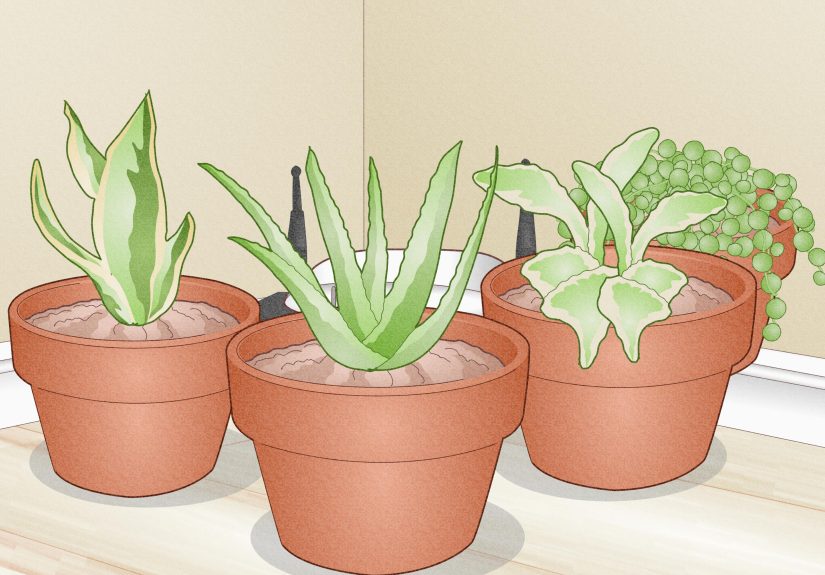
4. Place It Behind a PlantBut Not Inside a Jungle
Plants are excellent at making technology disappear. A leafy pothos, snake plant, rubber plant, or small indoor tree can visually soften a router setup without completely blocking it. This works best when the plant sits beside or slightly in front of the equipment, rather than smothering it.
Be careful with water. Routers and modems should not sit directly under hanging plants or next to planters that leak. Also, large water-filled containers can interfere with Wi-Fi signals, so do not hide your router behind an aquarium or a giant vase full of water. Your fish may enjoy the view, but your Wi-Fi will not.
Best Setup
Place the router on a shelf or console table, then position a plant to one side. Use a tray under the plant to protect the surface from moisture. This approach creates a soft, organic look while keeping the router accessible for resets, cable checks, and the occasional mysterious blinking light investigation.
5. Use a Stylish Cable Management Box
Cable management boxes are designed to hide power strips, adapters, and tangled cords. Some larger versions can also help organize a modem and router setup, as long as the box has ventilation and enough room around the devices.
Look for boxes with side openings, top vents, or breathable materials. Wood-look, bamboo, rattan, and matte-finish boxes tend to look more decorative than plain plastic versions. Place the box on a console, desk, media shelf, or sideboard where it can blend with the room.
Smart Cable Tip
Label your cords before hiding them. A tiny label that says “modem,” “router,” or “power strip” may not win design awards, but it will save you from unplugging the wrong thing during troubleshooting. Future you will be grateful. Future you may even become emotional.
6. Mount the Router High on the Wall
Wall mounting is one of the best performance-friendly ways to hide a router. Many routers work better when they are elevated, and a wall-mounted setup keeps the device away from floors, clutter, pets, and accidental coffee incidents.
Mount the router in a central area if possible, then use paintable cord covers to hide the cables running down the wall. A small floating shelf can hold the modem below it, while the router sits higher for better coverage. This is practical, tidy, and surprisingly elegant when done neatly.
Where It Works Best
Wall mounting is ideal for home offices, hallways, media rooms, and apartments where floor space is limited. If your router has antennas, check the manufacturer’s guidance for antenna positioning. Keep the router away from metal shelving, large mirrors, and thick concrete or brick walls when possible.
7. Hide It in a Faux Book Box
A faux book box is a charming solution for smaller routers or modem-only setups. It looks like a stack of books but opens like a box. Place it on a shelf, console, or desk, and it instantly turns tech clutter into a literary disguise. Very “secret library,” very “the Wi-Fi password is hidden in chapter three.”
Choose a large box with ventilation holes or modify the back so cords can exit cleanly. Never seal a router inside a tight book box without airflow. If the router runs warm or the Wi-Fi signal drops, use the faux book to hide cords instead and let the router sit openly nearby.
Design Idea
Pair the faux book box with real books, a small lamp, and a framed photo. When styled as part of a shelf arrangement, the router disappears into the scene without needing to be completely enclosed.
8. Build a Mini Router Nook in a Console Table
A console table can become a router station if you style it carefully. Use the lower shelf for a ventilated basket or cable box, place the router on the upper shelf behind decor, or attach a small cable tray underneath to keep cords off the floor.
This solution is especially useful near entryways or living rooms where the internet connection point is not in an ideal location. A narrow console table gives you a surface for decor while creating a dedicated tech zone that does not look like a server closet moved into your home by accident.
Make It Elegant
Use a lamp, tray, framed art, and one or two decorative objects to make the table feel intentional. Keep the router elevated and give it several inches of open space. Use adhesive cable clips along the back legs of the table so cords travel neatly downward instead of dangling like vines in a haunted forest.
9. Use a Pegboard or Wall Organizer in a Home Office
In a home office, a pegboard or wall organizer can hide and organize your modem, router, cords, adapters, and small accessories. This works particularly well if you want an accessible setup for troubleshooting but do not want everything scattered across your desk.
Mount a pegboard above or beside the desk, then add small shelves, hooks, and cable clips. Place the router on an open shelf rather than inside a closed container. The board can be painted to match the wall or styled with office supplies, plants, and artwork so the technology becomes part of the workspace rather than an eyesore.
Why It Works
A pegboard keeps everything visible enough to manage but organized enough to look clean. It is also renter-friendly if installed with minimal hardware or mounted on a freestanding frame. For people who restart their router often or switch cables frequently, this is far better than hiding the device in a cabinet and pretending it no longer exists.
10. Upgrade to a Mesh System with Better-Looking Nodes
Sometimes the best way to hide a router is to stop relying on one awkward router in one awkward spot. A mesh Wi-Fi system uses multiple nodes placed around the home to improve coverage. Many mesh nodes are designed to look cleaner and more minimal than traditional routers, which makes them easier to place in visible areas.
Mesh systems are especially helpful in larger homes, multistory layouts, apartments with thick walls, or spaces with stubborn dead zones. The main router still needs a good location, but the satellite nodes can extend coverage more gracefully than a single device trying to shout Wi-Fi through every wall like a tiny plastic opera singer.
Placement Tip
Do not put mesh nodes directly inside dead zones. Place them between the main router and the weak area so they can receive a strong enough signal to pass along. Keep each node open, elevated, and away from major interference sources.
How to Hide Router Cables Without Creating a Mess
Hiding the router is only half the battle. The cords are usually the real chaos. Start by unplugging everything and untangling the cables. Then group them by function: power cords, Ethernet cables, coaxial cables, and device connections. Use reusable hook-and-loop cable ties instead of permanent zip ties if you want easy access later.
Cord covers are excellent for running cables along baseboards or walls. Choose paintable covers if the cable path is visible. For furniture setups, adhesive cable clips can guide cords along the back of a console table, desk, or media cabinet. A right-angle plug can help furniture sit closer to the wall without bending a cable too sharply.
Keep power strips off the floor when possible, especially in areas where people vacuum, mop, or trip over things while carrying snacks. Mount the power strip under a desk or inside a ventilated cable box. The cleaner the cable path, the more polished your router hiding solution will look.
Common Mistakes When Hiding a Modem and Router
Putting the Router in a Closed Cabinet
A closed cabinet may look tidy, but it can block signal and trap heat. If you use a cabinet, choose one with open, slatted, cane, or mesh doors.
Placing It on the Floor
Routers generally perform better when elevated. A shelf, console, wall mount, or desk is usually better than the floor.
Hiding It Behind Metal
Metal can interfere with wireless signals. Avoid hiding routers behind refrigerators, metal cabinets, radiators, or large metal decor.
Forgetting About Heat
If a modem or router feels hot, give it more space. Do not cover vents with fabric, paper, books, or tightly woven materials.
Making It Impossible to Access
You will eventually need to restart the router, check lights, scan a QR code, or change a cable. Hide it beautifully, but do not bury it like treasure.
Real-Life Experience: What Actually Works When Hiding a Router
In real homes, the best router hiding solution is rarely the fanciest one. It is the one that balances appearance, airflow, signal strength, and access. A stunning solid cabinet may look perfect in photos, but if the Wi-Fi drops every time someone walks into the bedroom, the cabinet is not a design solutionit is a very expensive signal blocker.
One of the most reliable approaches is the bookshelf method. It works because the router stays elevated and relatively open, while books and decor break up the visual clutter. For example, placing the router on the second or third shelf of a living room bookcase, then styling a small plant on one side and a stack of books on the other, can make the device almost disappear. The router still has room to breathe, and the signal has a better chance of reaching nearby rooms.
The basket method is another favorite because it is affordable and easy. However, not all baskets are equal. A loose rattan basket with plenty of gaps is usually better than a thick, tightly woven storage basket with a heavy lid. If the router starts getting warm or the signal weakens, remove the lid or place the basket in front of the router instead of around it. Sometimes a partial disguise works better than a full cover.
For homes with a modem and separate router, cable organization makes the biggest visual difference. Even a visible router looks cleaner when the cords are bundled, labeled, and routed neatly behind furniture. A simple cable management box can turn a nest of wires into one calm rectangle. It may not sound glamorous, but neither is crawling behind a TV stand while whispering apologies to the dust bunnies.
Wall mounting is especially helpful in small apartments and home offices. When the router is mounted high and the cable is covered with a paintable cord channel, the setup looks deliberate instead of temporary. This also keeps the device away from pets, kids, and accidental spills. The only downside is that installation takes more effort, and renters may need removable mounting options or landlord approval.
Mesh systems are worth considering when the problem is not just appearance but coverage. In a long apartment, older house, or two-story home, hiding one router more beautifully will not always solve dead zones. A mesh system lets you place cleaner-looking nodes in smarter locations. The nodes should still stay visible and open, but because many are compact and minimal, they blend into decor more easily than traditional routers.
The best practical test is simple: hide the router, then run a speed test in the rooms you use most. Check the living room, bedroom, office, kitchen, and any area where calls or streaming matter. If speeds drop dramatically, adjust the setup. Move the router higher, open the container, shift it away from metal, or bring it closer to the center of the home. Good design should make daily life smoother, not turn every video call into a pixelated mystery.
In the end, hiding a modem and router is less about making technology vanish completely and more about helping it behave politely in your space. Give it air, height, and a decent location. Then dress it up with a basket, shelf, console table, plant, wall mount, or cable box. Your home will look calmer, your Wi-Fi will work better, and your router can continue its noble mission without ruining the vibe.
Conclusion
Learning how to hide a modem and router is really about finding the sweet spot between beauty and performance. The most elegant solution is not always the most hidden one. A router tucked inside a sealed cabinet may disappear from sight, but it can also create weak signals, overheating, and everyday frustration. A better approach is to disguise it with breathable materials, smart styling, elevated placement, and clean cable management.
Whether you choose a ventilated basket, cane-door cabinet, bookshelf arrangement, faux book box, wall mount, pegboard station, or mesh Wi-Fi upgrade, always keep the essentials in mind: airflow, access, height, and signal-friendly placement. Your modem and router do not need to be the centerpiece of the room. They just need enough space to do their job without looking like they are auditioning for a science fiction reboot.