Table of Contents >> Show >> Hide
- What Is User Engagement Software, Really?
- Why Userpilot Stands Out in User Engagement Software
- Core Userpilot Features That Matter Most
- How Userpilot Fits into a Modern Product Stack
- Best Practices for Using Userpilot Well
- Pros and Practical Considerations
- Real-World Experiences with User Engagement Software – Userpilot
- Conclusion
- SEO Tags
User engagement software has one job: help people get value from your product before they wander off to “just quickly compare a few alternatives” and never return. In other words, it turns curiosity into action, action into habit, and habit into retention. That is exactly why platforms like Userpilot have become such a big deal for SaaS companies, product-led businesses, and digital teams that are tired of watching users sign up, poke one button, and vanish like socks in a dryer.
Userpilot sits in the sweet spot between onboarding, analytics, in-app messaging, and feedback collection. It is often discussed as a user engagement software platform because it helps teams guide users inside the product, measure what those users actually do, and improve the experience based on behavior instead of wishful thinking. That last part matters. A lot. Hope is not a growth strategy, and neither is throwing a ten-step product tour at every new user like confetti at a parade.
What Is User Engagement Software, Really?
User engagement software is designed to improve how users interact with a digital product over time. The best tools help companies onboard new users, spotlight valuable features, collect feedback, reduce friction, and analyze behavior patterns that affect activation, adoption, and retention. It is part guidance system, part listening device, part performance coach.
In practice, this software usually includes several capabilities working together:
- In-app onboarding flows that explain what users should do next
- Tooltips, banners, modals, and checklists that guide behavior without feeling like a hostage negotiation
- Segmentation and targeting so different users see different messages
- Product analytics to measure usage, conversion, retention, and feature adoption
- Surveys and feedback tools to capture sentiment and identify friction points
- Support surfaces such as resource centers or self-serve help hubs
That combination is why user engagement software has become essential for modern product teams. It helps answer the big questions: Are users reaching value fast enough? Which features are being ignored? Where do people get stuck? Which customers are thriving, and which ones are one annoying click away from churn?
Why Userpilot Stands Out in User Engagement Software
Userpilot is frequently described as a product growth or user engagement platform, and that framing makes sense. It is not just a tool for flashy pop-ups or onboarding tours. It is designed to help teams build contextual in-app experiences, analyze user behavior, collect feedback, and act on those insights without depending on engineering for every small change.
1. It focuses on in-app engagement instead of generic marketing noise
There is a big difference between sending someone an email that says, “Hey, have you tried this feature?” and showing them the feature inside the product right when it becomes relevant. Userpilot leans into the second option. That means product teams can guide users at the point of need with tooltips, modals, banners, slideouts, driven actions, and checklists. Timing matters, context matters, and nobody wants another inbox ambush.
This approach is especially useful for onboarding. Rather than dumping a one-size-fits-all walkthrough on every user, teams can create contextual flows based on actions, lifecycle stage, company attributes, plan type, or other segments. That is a lot smarter than treating a brand-new trial user and a power admin like identical twins.
2. It connects engagement with product analytics
One of the biggest reasons Userpilot gets attention in the market is that it does not stop at “show a message and hope.” It also helps teams analyze funnels, trends, retention, and engagement patterns. That means companies can see where users drop off, which paths lead to activation, and whether a guide actually improved adoption or merely looked pretty in a screenshot.
This is where user engagement software becomes strategic. The point is not to launch more tours. The point is to improve user behavior in ways that support business outcomes: faster time-to-value, higher feature adoption, stronger retention, better expansion potential, and fewer support tickets.
3. It blends guidance, feedback, and support
Userpilot also covers areas that many teams would otherwise solve with separate tools. It supports surveys, including NPS, along with in-app resource centers and session replay capabilities. That creates a useful loop: guide users, observe their behavior, ask what they think, then optimize the experience. It is a more mature model than relying on one analytics dashboard and three Slack opinions from people who have not used the feature in six months.
Core Userpilot Features That Matter Most
In-app onboarding flows
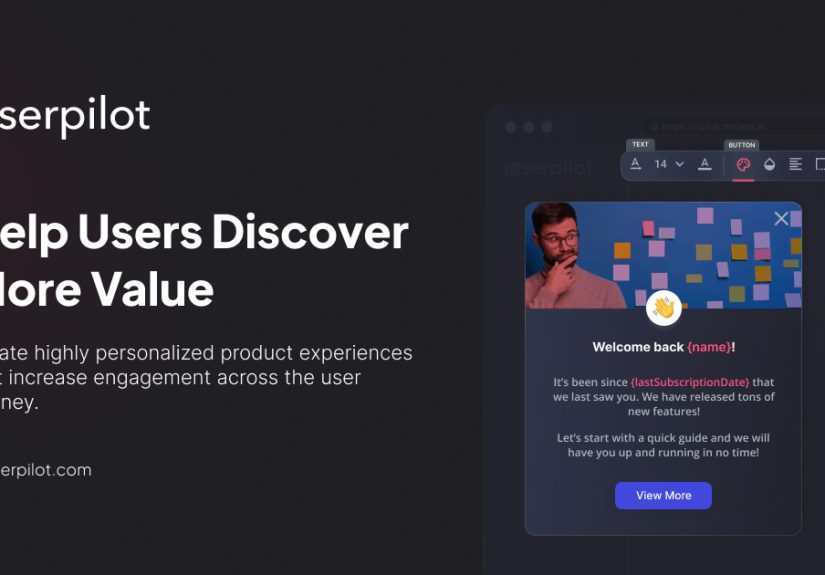
Userpilot is best known for helping teams create onboarding and engagement flows without a heavy engineering lift. You can build modals for welcome messages, tooltips for contextual guidance, slideouts for updates, banners for announcements, and checklists that encourage users to complete key actions.
For example, a SaaS platform could welcome new users with a role-based experience, then show a checklist that nudges them to import data, invite teammates, and create their first report. That is a much better path to activation than a generic “Welcome! Good luck!” message, which is not onboarding so much as emotional abandonment.
Resource centers for self-serve support
One of the most practical engagement features is the in-app resource center. Users can access tutorials, help content, announcements, and previously viewed guidance without leaving the product. This matters because modern users want answers now, not after digging through a support portal that feels like a digital attic.
A resource center also reduces friction for support and success teams. Instead of answering the same “Where do I find this?” question fifty times, companies can provide contextual self-service help that keeps users moving.
Product analytics and funnels
Userpilot’s analytics layer makes it more than a pure onboarding tool. Product teams can look at trends, funnels, and retention reports to understand how users move through the product. That supports better decisions about onboarding, feature promotion, and lifecycle messaging.
Let’s say a team notices that users who complete three setup tasks in the first week retain far better than users who complete only one. That insight can shape the entire engagement strategy. Suddenly, the checklist is not just a cute interface element. It becomes a retention engine.
Session replay for friction discovery
Analytics tells you what happened. Session replay often helps explain why. Userpilot’s session replay functionality allows teams to watch how users move through the product, spot confusing UI moments, and identify blockers that would never show up clearly in a dashboard alone.
This is especially valuable when a funnel says users are dropping off but nobody knows why. A replay may reveal hesitation, repeated clicks, missed buttons, or form confusion. Sometimes the problem is not strategy. Sometimes the button is just hiding like it owes people money.
Surveys and NPS
User engagement is not just behavioral. It is emotional too. Userpilot supports in-app surveys and NPS collection, giving teams a direct way to ask users how they feel and why. The best engagement programs combine quantitative data with qualitative insight, because a rising drop-off rate tells you there is a problem, but a good response comment tells you what kind of headache you are dealing with.
This feedback can be used to identify detractors, learn what promoters value most, and prioritize fixes that improve the product experience.
How Userpilot Fits into a Modern Product Stack
Userpilot works best for companies that want product engagement, onboarding, and behavioral improvement to happen inside the product itself. That makes it especially relevant for SaaS businesses, B2B software teams, subscription platforms, and digital products with a clear user journey.
It is not trying to be everything. It is not a full CRM, not a full customer support suite, and not a traditional email marketing platform. Instead, it plays a high-value role alongside those tools by improving what happens once users are inside the app.
That positioning is important. Great user engagement software does not replace every system. It strengthens the moments that determine whether users adopt the product, discover value, and come back. It is the difference between “We acquired a user” and “We built a customer.” Those are not the same thing, and finance definitely notices.
Best Practices for Using Userpilot Well
Start with the “aha” moment
The smartest teams do not begin with UI patterns. They begin with the outcome that predicts long-term value. What action proves a user is on the right path? Maybe it is inviting a teammate, publishing a workflow, integrating a data source, or creating a first dashboard. Build onboarding around that moment, not around every feature your PM loves equally.
Segment aggressively, but sensibly
Different users need different guidance. A brand-new trial user probably needs onboarding basics. A mature customer may need feature discovery. An at-risk account may need help finding a sticky workflow. Userpilot’s targeting and segmentation capabilities are valuable because they make personalization possible without turning the product into a carnival of random pop-ups.
Use analytics before, during, and after launches
Do not launch a guide and call it a strategy. First, identify the friction point. Then deploy the in-app experience. After that, measure whether behavior changed. Did more users complete the target action? Did feature adoption rise? Did retention improve for that segment? If not, iterate. Engagement is a system, not a one-time event.
Keep experiences contextual and brief
Users do not want a lecture. They want momentum. The best Userpilot experiences are short, specific, and triggered at the right moment. A tooltip that appears when someone encounters a new feature is helpful. A twelve-step tour that appears on first login and blocks the screen like a very cheerful wall is not.
Pros and Practical Considerations
Userpilot’s biggest strengths are its breadth across engagement use cases, its emphasis on in-app guidance, and its ability to connect engagement actions with product insights. Teams that want to reduce tool sprawl often like the idea of having guidance, analytics, feedback, and session observation working in one platform.
Another advantage is speed. Non-technical teams can usually move faster when they do not need engineering for every tooltip, banner, or survey. That matters in competitive environments where product teams are expected to improve activation and adoption without waiting three sprints for a tiny UX tweak.
That said, success still depends on strategy. Even the best user engagement software cannot rescue a confusing product, a fuzzy value proposition, or a team that measures everything except the thing that matters. Userpilot can make good engagement programs stronger, but it is not magic dust sprinkled on top of product confusion.
Real-World Experiences with User Engagement Software – Userpilot
Teams that adopt Userpilot or similar user engagement software often go through the same learning curve. At first, they think the tool will help them create onboarding flows. Then, after a few weeks, they realize the tool is actually helping them answer a deeper question: what does healthy product behavior look like, and how can we make more users reach it?
That shift in thinking is where the real value starts. A product manager may begin with a simple goal like reducing drop-off during setup. The team creates a welcome modal, adds a short checklist, and highlights the next best action with a tooltip. Pretty standard. But then the analytics begin to tell a more interesting story. Maybe users who finish the checklist activate twice as often. Maybe only one persona responds well to the guide while another persona ignores it completely. Maybe session replays reveal that users are not confused by the product concept at all; they are confused by the placement of one tiny button that has apparently mastered the art of invisibility.
That is the point where engagement software stops being decorative and starts becoming operational. It gives teams a way to see the relationship between product education and user behavior. Instead of arguing about what users “probably need,” teams can test, observe, and adjust.
Another common experience is that support and success teams become unexpectedly enthusiastic. Why? Because good in-app guidance reduces repetitive questions. A resource center, a contextual announcement, or a short interactive walkthrough can prevent the same support ticket from multiplying like rabbits. Users get help faster, and internal teams spend less time answering questions that should have been solved by design in the first place.
There is also a psychological benefit for users. Products feel easier when the next step is visible. People are much more likely to keep going when they feel competent instead of confused. That may sound obvious, but many software experiences still behave as if every customer enjoys solving mini escape rooms before breakfast.
Of course, not every experience is instantly perfect. Teams often learn that too many prompts create fatigue. A modal, a banner, a tooltip, and a survey appearing in the same week can make users feel less “engaged” and more “politely ambushed.” The best results usually come from restraint: fewer messages, better timing, tighter relevance.
Over time, mature teams use Userpilot less as a campaign tool and more as a product improvement loop. They identify a behavior that matters, guide users toward it, watch what happens, gather feedback, and refine the flow. Then they repeat. That cycle is what turns onboarding into adoption, adoption into retention, and retention into growth.
In that sense, the real experience of using Userpilot is not about building flashy UI patterns. It is about creating a product that teaches itself better every month. And honestly, in the crowded software world, that is a pretty nice trick.
Conclusion
If you are evaluating user engagement software, Userpilot deserves attention because it brings together several functions that product teams need most: in-app guidance, segmentation, product analytics, feedback collection, resource centers, and session replay. It helps companies improve onboarding, encourage feature adoption, reduce friction, and connect user behavior to real business outcomes.
Its strongest use case is clear: helping digital products create better in-app experiences that move users toward value faster. When used well, it can shorten time-to-value, improve activation, support retention, and make product teams much more confident about what is working and what is not.
In a market full of tools promising engagement, Userpilot’s appeal is that it keeps the focus where it belongs: inside the product, at the moment value is won or lost. And that is the moment that matters most.