Table of Contents >> Show >> Hide
- M3U8 in One Sentence
- Why M3U8 Exists: Streaming Needs a Map, Not a Movie
- M3U vs. M3U8: What’s the “8”?
- How HLS Uses M3U8: Master vs. Media Playlist
- Common Tags You’ll See (and What They Mean)
- What’s Inside an M3U8 File (Spoiler: Not the Video)
- Where You’ll Run Into M3U8 Files
- How to Open and Inspect an M3U8 File Safely
- Why Your M3U8 Won’t Play: A Practical Troubleshooting Checklist
- M3U8 vs. MP4 vs. MPD: A Quick Comparison
- Can You “Convert” an M3U8 File to MP4?
- Security, Privacy, and “Please Don’t Paste That Link in a Group Chat”
- Real-World Experiences With M3U8 Files (500+ Words)
- Conclusion
If you’ve ever clicked “Play” on a video and it somehow immediately knew whether you were on fast Wi-Fi, mediocre coffee-shop Wi-Fi,
or “two bars of hope,” you’ve probably brushed shoulders with an M3U8 file. It’s not a video file in the usual senseit’s more like
a set of directions. Think: “Go to these little video pieces, in this order, and if the internet gets cranky, switch to a smaller set of pieces.”
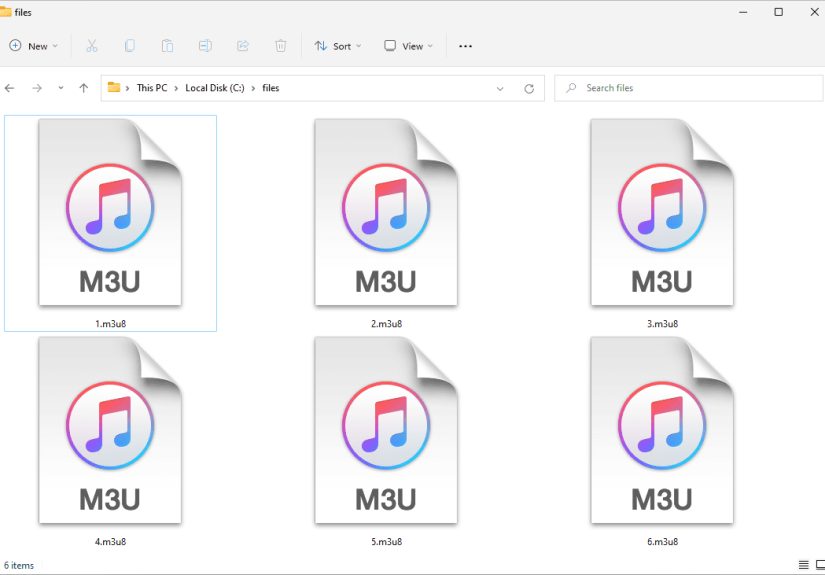
In standard American English: an M3U8 file is a UTF-8 encoded playlist (manifest) used by HTTP Live Streaming (HLS) to tell a player
where to find media segments and how to play them. It’s the map, not the road trip.
M3U8 in One Sentence
An M3U8 file is a plain-text playlist that lists media segment URLs (and instructions) so a player can stream audio/video smoothly,
often with adaptive bitrate streaming (auto-switching quality based on your connection).
Why M3U8 Exists: Streaming Needs a Map, Not a Movie
Traditional video files (like MP4) are self-contained: you download the file, press play, and you’re off. Streamingespecially live streamingdoesn’t
always work that way. HLS typically breaks media into short chunks (often a few seconds each). The player downloads these chunks one after another,
like grabbing bite-sized snacks instead of carrying a whole buffet in your backpack.
The M3U8 playlist is the snack list. It tells the player:
what segments exist, what order to play them, and sometimes what quality options are available.
That’s how a stream can start fast, keep buffering low, and adapt when your network speed changes.
M3U vs. M3U8: What’s the “8”?
M3U is a playlist format that dates back to the “my MP3 player has a personality” era. M3U8 is the same concept,
but specifically UTF-8 encoded, which makes it safer for international characters (artist names, filenames, paths) and more consistent
across systems. In HLS land, the .m3u8 extension is the usual sign you’re looking at a streaming manifest.
How HLS Uses M3U8: Master vs. Media Playlist
In HLS, you’ll usually see M3U8 files in two “flavors”:
- Master (Multivariant) playlist: a menu of quality options (different resolutions/bitrates/codecs).
- Media playlist: the actual list of segments for one specific variant (one quality track).
1) Master (Multivariant) Playlist
The master playlist points to multiple variant playlists. Each variant represents a different renditionlike 1080p, 720p, 480pso the player can pick
the best one for current conditions.
The star of this show is #EXT-X-STREAM-INF, which describes a variant stream. The very next line is the URI of that variant’s media playlist.
If your internet connection suddenly starts acting like it’s on a treadmill, the player can step down to a lower-bandwidth option automatically.
2) Media Playlist
A media playlist lists segmentsoften .ts or fragmented MP4 piecesplus timing info. For video on demand (VOD), it typically ends with
#EXT-X-ENDLIST. For live streams, it may keep updating and might not have an end marker.
#EXTINF is basically the playlist saying, “This next chunk lasts about 6 seconds.” The player uses those durations to build a smooth timeline.
Common Tags You’ll See (and What They Mean)
M3U8 files are plain text, but they’re not free-form. HLS uses standardized “tags” (lines starting with #EXT) to communicate rules and metadata.
Here are some of the usual suspects:
Core playlist structure
#EXTM3U: Required header. If it’s missing, many players will refuse to cooperate.#EXT-X-VERSION: Indicates the HLS protocol version/features expected.#EXT-X-TARGETDURATION: The maximum segment duration (in seconds, rounded up).#EXTINF: Duration of the next media segment (and sometimes a title).#EXT-X-ENDLIST: Signals a finished VOD playlist (no more segments coming).
Live streaming behavior
#EXT-X-MEDIA-SEQUENCE: The sequence number of the first segment listed (useful as older segments roll off).#EXT-X-PROGRAM-DATE-TIME: Associates segments with wall-clock timestamps (handy for live events and DVR-like features).
Adaptive streaming and renditions
#EXT-X-STREAM-INF: Defines a variant stream in a master playlist (bandwidth, resolution, codecs, and more).#EXT-X-MEDIA: Describes alternate audio, subtitles, or different camera angles (renditions).#EXT-X-INDEPENDENT-SEGMENTS: Indicates segments start with key frames so switching variants is cleaner.
Encryption and DRM-adjacent plumbing
#EXT-X-KEY: Tells the player how segments are encrypted (method + key URI). Some streams use stronger protection or DRM systems that add extra layers.
Modern packaging (fMP4/CMAF) and advanced indexing
#EXT-X-MAP: Points to initialization data for fragmented MP4 segments.#EXT-X-BYTERANGE: Indicates byte ranges within a single file (instead of separate segment files).#EXT-X-DISCONTINUITY: Marks timeline breaks (ad insertion, encoder restart, format change).
What’s Inside an M3U8 File (Spoiler: Not the Video)
An M3U8 file does not contain the actual audio/video data. It contains:
- URIs (links/paths) to media segments or other playlists
- Timing information (segment durations)
- Playback rules (live vs VOD, caching hints, segment boundaries)
- Variant information (bandwidth, resolution, codecs)
- Optional security info (encryption key references, tokenized URLs)
Segment URIs can be relative (like segment1200.ts) or absolute (a full URL). If you move the playlist to a new
location without adjusting those paths, players may start searching for segments like a lost tourist without GPS.
Where You’ll Run Into M3U8 Files
M3U8 files show up anywhere HLS streaming is used, including:
- Live sports and news streams (constantly updated playlists)
- Video-on-demand libraries (finished playlists with
#EXT-X-ENDLIST) - Online learning platforms and internal corporate training
- OTT apps and smart TV platforms
- Developer workflows (testing adaptive streams, validating encodes)
How to Open and Inspect an M3U8 File Safely
Because it’s plain text, you can open an M3U8 file with any text editor. That’s often the best first step when you’re troubleshooting.
You can quickly answer questions like:
- Is it a master playlist or a media playlist?
- Are segment URLs relative or absolute?
- Do the tags look complete (header, target duration, segment list)?
- Is the playlist referencing subtitles or alternate audio?
For playback, you generally need an HLS-capable player. Many Apple devices and Safari environments support HLS natively.
On the web, developers often use JavaScript players that understand HLS manifests (for example, player libraries that parse the playlist and request segments).
Only test streams you own or have permission to accessan M3U8 link can function like a “key to the front door” for a private stream.
Why Your M3U8 Won’t Play: A Practical Troubleshooting Checklist
When an M3U8 stream fails, it’s usually not because the playlist format is “mysteriously cursed.” It’s because something around it is misconfigured.
Here are common real-world culprits:
1) Wrong MIME type
Web servers should send a playlist with an appropriate HLS content type (commonly application/vnd.apple.mpegurl or application/x-mpegURL).
If it’s served as plain text in one place and as a random binary type in another, some players will sulk.
2) Segment URLs don’t resolve
A playlist may load fine, but the segments (like segment1201.ts) return 404 errors. This often happens when:
- The playlist moved but segment paths didn’t.
- A CDN cached an old playlist that references segments already removed.
- Relative paths are interpreted from an unexpected base URL.
3) CORS and browser security policies
Browsers can block segment requests if cross-origin rules aren’t configured. If your M3U8 is on one domain and segments are on another, you may need correct CORS headers.
4) HTTPS issues (mixed content)
If your webpage is HTTPS but the playlist or segments are HTTP, modern browsers may block requests. Secure site, secure streamkeep the chain unbroken.
5) Codec mismatch
A master playlist might advertise codecs the player doesn’t support. If the player can’t decode the video/audio format, it can’t playno matter how perfect the playlist looks.
6) Encryption keys or tokens expire
Some streams use signed URLs or time-limited tokens. If you test a playlist hours later and it fails, it might be “working as designed” (security is doing its job).
M3U8 vs. MP4 vs. MPD: A Quick Comparison
It helps to separate “manifest” from “media”:
- M3U8: A manifest/playlist for HLS. It references segments and variants.
- MP4: A media container file (the actual audio/video data in one package).
- MPD: A manifest for MPEG-DASH (another popular adaptive streaming system).
In practice, streaming platforms may generate both HLS (M3U8) and DASH (MPD) outputs so different devices and apps can choose what they support best.
Can You “Convert” an M3U8 File to MP4?
An M3U8 file by itself can’t be “converted” into a video because it’s not the videoit’s instructions. To create a single MP4, a system would need to
retrieve the referenced segments and then repackage (mux) them into one file.
Two important realities:
- Permission matters: Only do this for content you own or have explicit rights to process.
- Protection exists: Some streams use encryption/DRM systems designed specifically to prevent unauthorized copying, and attempting to bypass that is not appropriate.
In legitimate workflows (like your own training portal or your own live event archive), the right approach is usually to adjust your encoding pipeline to also output an MP4 archive,
or to keep a mezzanine “source” file and generate streaming packages from it.
Security, Privacy, and “Please Don’t Paste That Link in a Group Chat”
It’s easy to mistake M3U8 links for harmless text. But many platforms treat the playlist URL as a controlled access point:
signed URLs, tokens, IP restrictions, or session-based authorization can all be wrapped around it.
Practical tip: if you’re working on a team, treat M3U8 URLs like you’d treat a private document linkshare responsibly, rotate tokens when needed,
and avoid exposing internal manifests in public places.
Real-World Experiences With M3U8 Files (500+ Words)
If you hang around video teams long enoughdevelopers, QA testers, or the brave souls on streaming supportyou’ll notice that M3U8 files become a weird
kind of “daily weather report.” People don’t just look at them when something is broken. They look at them because they’re the fastest way to answer
the question: “What is the player actually trying to do?”
One common experience: the stream works on one device but fails on another. The M3U8 is often where the truth shows up. A master playlist might list
multiple renditions, but maybe one rendition advertises a codec profile that a certain device can’t decode. Or the audio track is offered in a way that a
specific player doesn’t select correctly. Teams learn to scan for CODECS, bandwidth ladders, and alternate renditions because those lines explain
“why it plays here, but not there” better than a hundred Slack messages.
Another classic: “It plays locally, but not through the CDN.” The playlist loads, but segments 404 halfway in. This usually turns into an M3U8 detective story:
the playlist is cached longer than intended, or the segment URLs are relative and the CDN path rewriting isn’t what you think it is. Many engineers eventually develop a
superstition-level habit of checking whether the playlist is pointing to current segments and whether the CDN is serving a stale version. The M3U8 becomes the
“receipt” that proves the system is out of sync.
Live streaming adds its own special flavor. Teams often experience the moment when they realize a live playlist is a sliding window:
older segments roll off as new ones appear. That’s when questions like “Why can’t I rewind further?” or “Why did segment numbers jump?” start making sense.
When you see #EXT-X-MEDIA-SEQUENCE marching forward, it clicks that a live playlist is more like a conveyor belt than a bookshelf.
Accessibility work also shows up in manifests. People integrating subtitles and alternate audio tracks often discover that captions aren’t “just a file.”
They’re a coordinated set of references in the playlist (so the player can offer language choices). The experience tends to go like this: captions work in
one player, fail in another, and the solution is almost always in how the playlist declares renditions and groups. Once teams get it right, they start thinking
of the M3U8 as the “table of contents” for the whole viewing experiencevideo, audio, captions, and all.
Finally, there’s the security reality check. Lots of folks learn (sometimes the hard way) that a manifest URL can behave like a pass. If the manifest is tokenized,
it expires. If it’s not tokenized, it might get shared. Many teams end up with a practical rule: assume any exposed M3U8 will travel. That leads to better
habitssigned URLs, shorter expirations, and careful logging. The “experience” here isn’t about paranoia; it’s about treating streaming like any other protected resource.
Put all that together, and you get why M3U8 files are so widely used: they’re small, readable, and incredibly expressive. They’re also honest. When your stream is misbehaving,
the playlist usually contains the clueyou just need to know how to read it without spiraling into conspiracy theories about “gremlins in the encoder.”
Conclusion
An M3U8 file is the backbone of many modern streaming workflows: a UTF-8 playlist that tells a player how to fetch segments, switch quality,
and keep playback smooth. Once you understand master vs media playlists and a handful of core tags, M3U8 files stop feeling mysterious and start feeling like
a readable “control panel” for streaming.