Table of Contents >> Show >> Hide
- Why People Use Cheats in Project64
- Before You Start
- How to Add Cheats to Project64 in 15 Steps
- Step 1: Open Project64 and confirm it is working normally
- Step 2: Load the game you want to use cheats with
- Step 3: Turn off “Hide Advanced Settings” if needed
- Step 4: Enable “Remember Selected Cheats” for convenience
- Step 5: Open the Cheats menu
- Step 6: Check whether the cheat you want already exists
- Step 7: Expand cheat categories and read the notes
- Step 8: Enable a built-in cheat by checking its box
- Step 9: Add a new cheat if it is not in the list
- Step 10: Give the cheat a clear name
- Step 11: Enter the code exactly as written
- Step 12: Add options if the code uses variable values
- Step 13: Save the new cheat and enable it
- Step 14: Reset or reload the game if the cheat requires it
- Step 15: Test carefully and disable risky one-time cheats
- Troubleshooting: Why Your Project64 Cheats Are Not Working
- Best Practices for Using Project64 Cheats
- Final Thoughts
- Extra Experience-Based Insights: What Adding Cheats to Project64 Usually Feels Like
- SEO Tags
If you have ever fired up Project64, loaded your favorite Nintendo 64 game, and thought, “You know what this adventure needs? Infinite health and a tiny splash of chaos,” you are in the right place. Adding cheats to Project64 is not exactly rocket science, but it can feel like archaeology the first time around. Menus hide things, versions matter, and one wrong code can make your game behave like it just drank three energy drinks and forgot what gravity is.
The good news is that Project64 already does a lot of the heavy lifting. Many games come with built-in cheat entries, and for custom cheats, the emulator gives you tools to add, edit, and manage codes without turning your evening into a dramatic tech support opera. In this guide, you will learn exactly how to add cheats to Project64 in 15 clear steps, how to make those cheats actually work, and how to avoid the classic mistakes that make people blame the emulator, the code, and possibly the moon.
Why People Use Cheats in Project64
There are plenty of good reasons to use cheats in Project64. Some players want to unlock characters, test hidden content, or revisit a game without grinding through the same boss fight for the twentieth time. Others use cheats for practice, speedrun experiments, challenge runs, or plain old nostalgia. Sometimes you just want Moon Jump in Super Mario 64 because adulthood is hard and Mario deserves better.
Project64 is especially friendly to cheat users because it often includes built-in cheat databases for popular games. That means you may not even need to enter raw GameShark-style codes manually. But when you do need to add your own custom cheat, the process is still manageable once you know where the settings and menus are hiding.
Before You Start
Before you begin, make sure you have the correct version of your game and the correct cheat for that version. This is one of the biggest reasons cheats fail. A code written for a U.S. v1.1 ROM may not work on a European ROM, a revision 1.0 dump, or a modded build. In emulator land, tiny version differences can turn a fun cheat into a crash generator.
Also, back up your save files or use save states before experimenting. Some cheats are safe to leave on all the time. Others are “use once, then turn off” kinds of creatures. Treat cheats like hot sauce: wonderful in the right amount, regrettable when poured directly into the engine.
How to Add Cheats to Project64 in 15 Steps
-
Step 1: Open Project64 and confirm it is working normally
Launch Project64 and make sure your emulator opens without plugin or configuration errors. If the emulator is already acting strange before you touch cheats, adding codes will only turn a small problem into a dramatic one. Start with a stable setup first.
-
Step 2: Load the game you want to use cheats with
Open your game from the ROM browser or file menu. In many Project64 setups, cheat options are tied to the currently loaded game, so opening the game first is important. No loaded game usually means no useful cheat list, which is Project64’s way of saying, “I need more context, friend.”
-
Step 3: Turn off “Hide Advanced Settings” if needed
Go to Options or Configuration and look for Hide Advanced Settings. If it is checked, uncheck it and apply the change. This matters because advanced controls often expose the features you need for cheat management, ROM info, and other useful tools. Many people miss this step and then spend thirty confused minutes wondering where the button went.
-
Step 4: Enable “Remember Selected Cheats” for convenience
While you are in the settings area, look for Remember Selected Cheats and enable it if you want Project64 to keep your cheat selections between sessions. This is optional, but it saves time if you use the same training or quality-of-life cheats regularly. Your future self will thank your present self with respectful silence.
-
Step 5: Open the Cheats menu
With the game running or loaded, open the cheats window from System > Cheats. In many Project64 builds, you can also use Ctrl + C as a shortcut. This opens the central hub where built-in cheats, custom entries, notes, and options usually live.
-
Step 6: Check whether the cheat you want already exists
Before adding anything manually, scroll through the built-in list. Project64 often includes a surprisingly large number of cheat entries for well-known Nintendo 64 games. If you see the cheat you want already listed, your job just became much easier. No typing, no formatting drama, no mysterious crashes caused by a missing digit.
-
Step 7: Expand cheat categories and read the notes
Some cheat lists are organized into categories or sub-options. Expand them and read any notes attached to the cheat. Notes matter more than people expect. They can tell you whether a code should be enabled at the title screen, after loading a save, only in a certain area, or only for one player. Ignore the notes and the cheat may technically work while also setting your game on fire emotionally.
-
Step 8: Enable a built-in cheat by checking its box
If the cheat already exists in the list, check the box next to it. For simple built-in cheats, that may be all you need. Close the window, return to the game, and test whether the effect appears. Some cheats activate immediately, while others need a room transition, reload, soft reset, or specific button press.
-
Step 9: Add a new cheat if it is not in the list
If your code is not already built in, stay in the cheats window and look for the control to add a new cheat. Depending on the Project64 version, this may appear as an arrow, a context menu option, or an Add New Cheat command. Click it to open the cheat editor. This is where the magic happens, or at least where the legal, nostalgic form of chaos begins.
-
Step 10: Give the cheat a clear name
Use a descriptive title such as “Infinite Health,” “Moon Jump,” or “Unlock All Cups.” Avoid vague names like “Test 1” unless you enjoy creating future confusion for yourself. A good cheat list is like a good refrigerator: if everything is labeled, nobody gets scared when opening it.
-
Step 11: Enter the code exactly as written
Paste or type the cheat code in the proper format, line by line, exactly as the source presents it. Do not “clean it up,” guess missing characters, or swap spacing because it looks prettier. Cheat codes are not poetry. They are picky little instructions that demand precision. One wrong character can mean nothing happens, or worse, something very exciting happens for all the wrong reasons.
-
Step 12: Add options if the code uses variable values
Some Project64 cheats include value selectors, especially when you see placeholders like
??or????. In those cases, you may need to define options in the cheat editor, such as different item values, character states, time-of-day choices, or save-slot variations. If a code offers multiple options, choose one carefully instead of activating every variation like a caffeine-powered scientist at 2 a.m. -
Step 13: Save the new cheat and enable it
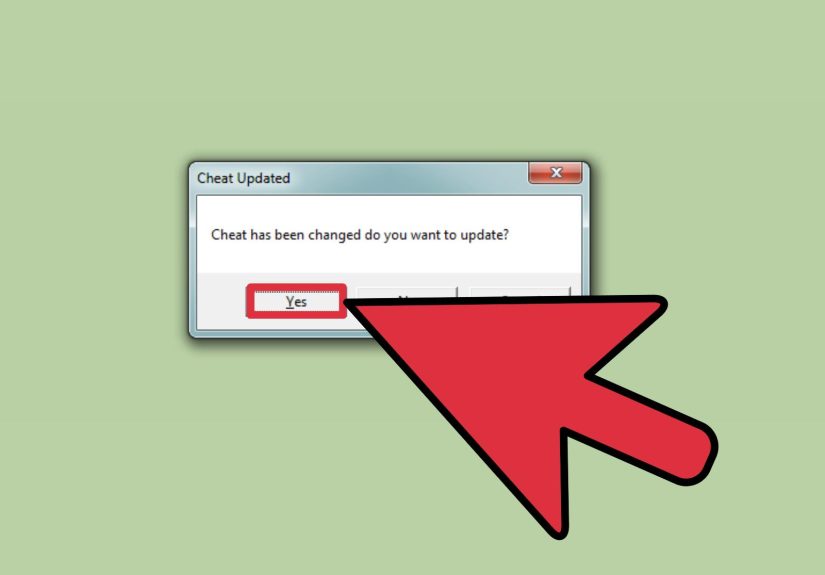
After entering the name, code lines, and any values or notes, save the cheat. Then check its box to enable it. If the code was added successfully, it should now appear alongside the rest of the cheat list for that game. Congratulations: you have officially taught an emulator a new trick.
-
Step 14: Reset or reload the game if the cheat requires it
Not all cheats activate instantly. Some only work on boot, after the Nintendo logo, at the save-select screen, or after a soft reset. If the code notes mention a reset, follow them. In Project64, you may need to reload the save, switch areas, or use the emulator reset function. This step is where many “the code doesn’t work” complaints are born.
-
Step 15: Test carefully and disable risky one-time cheats
Once the cheat is active, test it in a safe situation. If it changes inventory, character state, warps, or progression flags, verify that the game still behaves normally. Many unlock and modifier cheats should be turned off after they do their job. Leaving them on forever can corrupt progression, break events, or confuse the game so badly it starts making terrible life choices.
Troubleshooting: Why Your Project64 Cheats Are Not Working
1. The cheat matches the wrong game version
This is the biggest culprit. If the cheat was written for a different region or revision, it may fail completely or partially. Check whether the code was made for U, E, J, v1.0, v1.1, or another specific release. Project64’s ROM info tools can help you confirm what you are actually running.
2. The cheat needs a special activation method
Some codes only work while holding a button, entering a door, jumping, loading a save, or resetting after activation. If the note says “press B,” “hold R,” or “enable on load,” believe it. The note is not decoration. It is the cheat whispering its terms and conditions.
3. You left conflicting cheats on at the same time
Two cheats that modify the same address or game state can collide. Character modifiers, inventory modifiers, and progress hacks are especially likely to fight each other. If things get weird, disable everything and test one cheat at a time.
4. The code is fine, but the timing is wrong
Some cheats only affect menus, some only work in gameplay, and others only trigger after a transition. If nothing happens, try changing scenes, loading a save, or resetting the game. Timing matters more than many beginners realize.
5. The cheat source is bad or incomplete
Not every cheat posted online is reliable. Use trusted databases, long-running community references, and game-specific cheat collections when possible. If a code looks incomplete, oddly formatted, or suspiciously copied from ten different places with ten different values, proceed carefully.
Best Practices for Using Project64 Cheats
- Back up your saves before testing progression or unlock cheats.
- Use one new cheat at a time when troubleshooting.
- Turn off one-time setup cheats after they apply.
- Read every note attached to a cheat entry.
- Do not assume every code is safe for every area of the game.
- Use descriptive names when adding custom cheats.
- Avoid using cheats in ways that ruin fair multiplayer experiences.
Final Thoughts
Learning how to add cheats to Project64 is one of those skills that looks confusing until you do it once. After that, it becomes surprisingly straightforward. Load the game, open the cheats menu, make advanced settings visible if needed, use the built-in list when possible, and only add custom codes carefully and exactly. That is really the heart of it.
The biggest secret is not technical brilliance. It is patience. Read the notes. Match the code to the game version. Test one change at a time. When you do that, Project64 becomes a fantastic playground for experiments, unlocks, practice sessions, and all the silly fun that made cheat devices legendary in the first place. In other words, less button-mashing confusion, more “wow, I actually got this working.”
Extra Experience-Based Insights: What Adding Cheats to Project64 Usually Feels Like
The first time most people try adding cheats to Project64, they expect a quick two-minute task. Then the emulator opens, the menus look slightly different from the tutorial they found, the cheat list is half-empty, and suddenly it feels like they enrolled in a semester-long course called “Advanced Retro Button Pressing.” That experience is incredibly common, and honestly, it is part of the charm.
One of the most relatable moments is discovering that the cheat you wanted was already built into Project64 the whole time. You spend fifteen minutes hunting down code lines, only to open the Cheats window and see something like “Infinite Health” sitting there casually, as if it had been waiting all day for you to notice it. That moment is both satisfying and mildly humiliating, which is a classic retro-gaming emotional combo.
Another common experience is dealing with a cheat that technically works, but only after you perform what feels like a ritual. Maybe you have to enable it at the title screen, load a save, walk through a door, hold a button, reset once, then avoid touching anything funny for five seconds. At first that feels ridiculous. Later, once you understand how many N64 cheats were designed around memory states and game events, it starts to make sense. Project64 is not being difficult just to be dramatic. The cheat often depends on the exact moment the game loads or changes values.
There is also the thrill of finally seeing a custom cheat work after a few failed attempts. Maybe the item appears, the character jumps twice as high, or an unlock suddenly pops into existence. That tiny success feels disproportionately rewarding because you earned it. You did not just play the game. You decoded a little bit of how the emulator and the game speak to each other.
Of course, there is the opposite experience too: the “why is everything broken now?” moment. A bad cheat can freeze the game, scramble a menu, or create hilariously broken behavior. Oddly enough, even that teaches you something useful. Veteran emulator users tend to become methodical because they have all learned the same lesson the hard way: test one code at a time, back up your saves, and never trust a mystery cheat with a cool name and zero instructions.
In the end, adding cheats to Project64 becomes less about raw technical difficulty and more about learning a rhythm. You open the game, check the version, read the notes, enable one code, test it, then adjust. Once that rhythm clicks, the whole process stops feeling intimidating and starts feeling fun. And really, that is the sweet spot: using Project64 cheats not to create chaos for its own sake, but to make old games feel fresh, playful, and wonderfully weird again.