Table of Contents >> Show >> Hide
- Quick Table of Contents
- Before You Message: Grab 60 Seconds of Info
- Step 1: Find the Right Seller (and the Right Order)
- Step 2: Open the Official AliExpress Message Channel
- Step 3: Write a Message Sellers Can Actually Answer
- Step 4: Follow Up, Save Proof, and Escalate (If Needed)
- Pro Tips: Faster Replies, Fewer Headaches
- FAQ
- Real-World Experiences: What Usually Happens (500+ Words)
- Conclusion
AliExpress is basically a giant online bazaar: millions of items, thousands of sellers, and prices that sometimes make you suspicious like, “Is this a deal… or a dare?” Either way, sooner or later you’ll want to contact a sellermaybe to confirm sizing, ask about shipping, fix an address typo, or solve a “my package is touring the globe without me” situation.
The good news: AliExpress makes it pretty easy to message sellers as long as you know where to click and what to say. The better news: you don’t need to write a novel. The best news: you can do it in four stepsand sound like a calm, organized adult (even if you’re panicking in sweatpants).
Quick Table of Contents
- Before You Message: Grab 60 Seconds of Info
- Step 1: Find the Right Seller (and the Right Order)
- Step 2: Open the Official AliExpress Message Channel
- Step 3: Write a Message Sellers Can Actually Answer
- Step 4: Follow Up, Save Proof, and Escalate (If Needed)
- Pro Tips: Faster Replies, Fewer Headaches
- FAQ
- Real-World Experiences: What Usually Happens (500+ Words)
- SEO Tags (JSON)
Before You Message: Grab 60 Seconds of Info
Sellers answer faster when you make their job easy. Before you type a single word, collect a few details:
- Order number (if you already bought)
- Product name or a short description (“black hiking watch, 46mm”)
- What you want (clarification, replacement, partial refund, updated address, etc.)
- Evidence if there’s a problem (photos, screenshots, tracking page image)
- Deadline (especially if buyer protection is close to ending)
Think of it like ordering coffee: “Coffee” is fine, but “Iced latte, oat milk, no sugar” gets you what you want faster.
Step 1: Find the Right Seller (and the Right Order)
There are two common situations: before purchase and after purchase. Your path depends on which one you’re in.
Option A: You haven’t bought yet (questions before checkout)
Go to the product listing you’re considering and look for a way to message the store/seller (often near the store name or seller info area). This is best for:
- Sizing questions (“Is this US men’s sizing or EU?”)
- Compatibility (“Will this fit iPhone 15 Pro Max?”)
- Color/material confirmation
- Bulk orders or custom requests
Tip: Pre-purchase messages can be slower because the seller can’t “see” an order attached yet. You’ll need to include the product link or item title in your message text.
Option B: You already ordered (shipping, changes, or problems)
This is usually the fastest route because your message is tied to a specific order. Navigate to your orders:
- Desktop: Log in → go to My Orders → choose the order → open Order Details
- App: Open AliExpress → go to your Account area → open Orders → tap the order
Once you’re in the order details, you’ll typically see a button or link like Contact Seller / Send Message to Seller. That’s the golden ticket.
Step 2: Open the Official AliExpress Message Channel
This step is simple but important: keep communication inside AliExpress. Why? Because when everything stays on-platform, you have a record if you need AliExpress to step in later. It also helps protect you from off-platform scams and “let’s move to WhatsApp” shenanigans.
Where to message (the 3 main places)
- From the Order Details page (best after purchase)
- It attaches the order automatically.
- You can reference shipping status, protection deadlines, and item details.
- From the product page or store page (best before purchase)
- Good for questions before buying.
- Include the item title and key options you want (size/color).
- From the Messages/Inbox area
- Useful for ongoing conversations.
- Great if you’re juggling multiple orders.
Once you’re in the message window: breathe. You are now one polite paragraph away from solutions.
Step 3: Write a Message Sellers Can Actually Answer
Most sellers are managing lots of chats across time zones. If your message is vague, it sinks. If your message is clear, it floats like a majestic, refund-shaped balloon.
The “CLEAR” message formula
- Context: What order/item is this?
- Label the issue: Shipping, size, defect, wrong item, etc.
- Evidence: Photo, screenshot, or specific detail.
- Ask: What do you want them to do?
- Respect: Keep it polite and simple.
Message templates you can copy/paste
1) Pre-purchase question (size/material/compatibility)
Subject/First line: Question about [Product Name]
Hi! I’m interested in this item: [Product Name].
Could you confirm: (1) the material is [X], (2) the sizing chart matches US sizes, and (3) the color “navy” looks like the photos?
Thank you!
2) Change an address (only if it hasn’t shipped)
Hello! Order number: [##########].
I need to update the shipping address before you ship.
Please send to: [New Address].
Can you confirm the update? Thank you!
Note: Many platforms treat address changes as time-sensitive. If it’s already shipped, sellers often can’t reroute itso message ASAP.
3) Shipping delay (tracking hasn’t updated)
Hi! Order number: [##########].
Tracking shows: [status], last update on [date].
Could you confirm if the package is still in transit and provide any additional tracking details?
Thank you.
4) Wrong item or missing parts
Hello! Order number: [##########].
I received the item today, but it appears to be [wrong color/model] / missing [part].
I attached photos for reference.
Please advise: can you send the correct item/part, or offer a refund/partial refund? Thank you.
5) Damaged item
Hi! Order number: [##########].
The item arrived damaged. I attached clear photos of the damage and the packaging.
Please advise the best solution (replacement or refund). Thank you.
What not to do (unless you enjoy slow replies)
- Don’t write “HELPPPP!!!” with no details (unless the seller is a psychic).
- Don’t move payment or communication off-platform.
- Don’t share sensitive personal info beyond what’s needed for shipping.
- Don’t threaten a dispute in the first messagestart solution-focused.
Step 4: Follow Up, Save Proof, and Escalate (If Needed)
Sellers may respond quicklyor after you’ve eaten dinner, slept, and questioned your life choices. Time zones are real. So is the buyer protection clock.
How long should you wait?
- For normal questions: 24–48 hours is reasonable.
- For urgent issues (address change before shipping): follow up within 12–24 hours.
- Near protection/dispute deadlines: don’t waitact.
Keep records like a mildly paranoid genius
Save screenshots of:
- Order details
- Tracking pages and dates
- Your messages and seller replies
- Photos of problems (damage, wrong item, missing parts)
This isn’t just “being extra.” It’s how you build a clean timeline if you must open a dispute or request a refund.
When should you open a dispute instead of waiting?
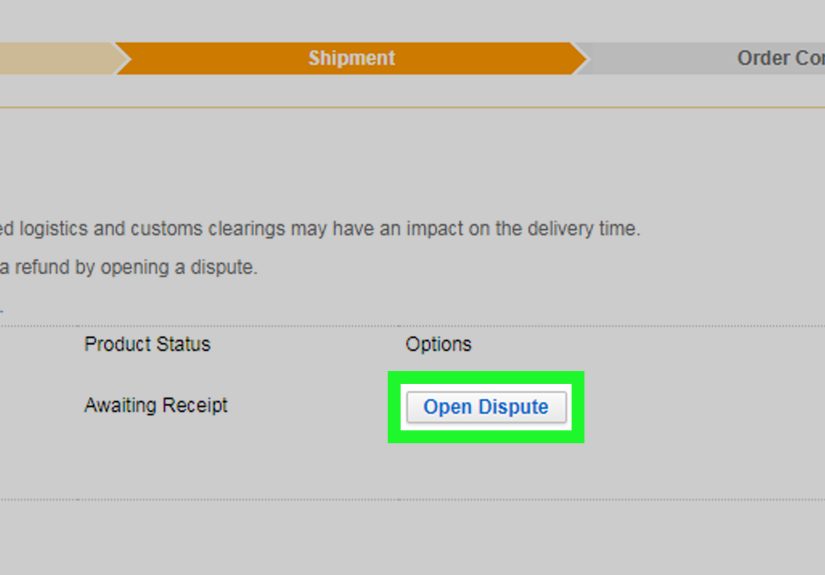
If the seller is unresponsive, stalling, or asking you to do suspicious things (like closing disputes early or paying outside the platform), it may be time to use AliExpress’s official dispute process before your window closes.
Also: if you paid with a method that offers buyer protections (like certain credit cards or PayPal, where available), you may have additional dispute optionsbut always try to resolve on-platform first so your documentation is strong.
Pro Tips: Faster Replies, Fewer Headaches
1) Be specific about your “ideal fix”
Sellers are more likely to respond when you make the choice easy: “Replacement part,” “resend,” “partial refund,” or “full refund.” If you’re flexible, say so.
2) Keep communication on AliExpress
If a seller says “message me on WhatsApp” or “pay extra via another method,” treat it like a flashing neon sign that says: Buyer protection may not apply there. Staying on-platform keeps a record and helps you avoid common scam patterns.
3) Don’t overshare
Provide what’s needed for your order. Avoid sending unnecessary personal details (IDs, banking info, one-time codes).
4) Use simple English and short sentences
Many sellers work in English as a second language. Clear, basic wording beats fancy vocabulary every time. Think “airport English,” not “Victorian novelist.”
5) Use photos wisely
If something’s wrong, attach one clear photo showing the problem, plus a second photo showing the item label/packaging if relevant. Too many images can slow things down; too few can make it unclear.
6) Watch the clock
Online shopping best practices recommend keeping records, tracking communication, and acting within official timeframes for disputes. Translation: don’t wait until the last minute if buyer protection is about to expire.
FAQ
Can I contact a seller without placing an order?
Yes. Use the product listing or store page message option. Include the item title and the exact variation you’re asking about (size/color).
What if I can’t find the “Contact Seller” button?
Try these:
- Open Order Details (not just the order list).
- Check the Messages area to see if the conversation is already there.
- Switch between app/desktopsometimes one interface shows a clearer button.
- Look for a message/envelope/chat icon near the order.
Should I accept “close the dispute and I’ll refund you”?
Be careful. Closing a dispute can remove your leverage. If a dispute is needed, keep everything documented and follow the platform’s official process.
How do I increase my chances of getting a good outcome?
- Stay polite and concise
- Provide evidence
- Keep messages on-platform
- Act before deadlines
- Ask for a specific resolution
Real-World Experiences: What Usually Happens (500+ Words)
Let’s talk about what this looks like in the wildaka your phone at 11:47 p.m. when you suddenly realize you ordered the “large” but you are, spiritually and physically, a “medium.” These scenarios are based on common buyer experiences and patterns that show up again and again on marketplace platforms.
Experience #1: The “Sizing Chart Mystery” (Pre-Purchase)
A shopper finds a jacket for a price that feels like it should come with a plot twist. The reviews say “runs small,” but the size chart claims everything is normal. Instead of guessing, they message the seller before buying: “I’m usually a US men’s Medium. My chest is 40 inches. Which size do you recommend?” This one sentence does two powerful things: it tells the seller you’re serious and gives them a measurable data point.
When sellers respond well, they’ll suggest a size and sometimes explain whether the item is “Asian sizing” (often smaller than US sizing). When sellers respond vaguely (“choose your usual size”), that’s actually useful information too: it signals that the listing may be lower-touch support, and you should rely more heavily on reviews/photos. Either way, messaging first can prevent a return/refund headache later.
Experience #2: The “Oops, That’s the Wrong Address” Sprint (After Purchase)
This happens a lot: you checkout quickly, then notice your address saved as an old apartment. The best-case scenario is when the order hasn’t shipped yet. Shoppers who succeed here usually do three things:
- Message immediately from the order page (so the order number is attached)
- Clearly label it as urgent (“Address update before shipment”)
- Provide the corrected address in one clean block of text
Sellers who can update it will often confirm. Sellers who can’t will usually say it’s already processed/shipped. The key lesson: speed matters. This is one of those cases where being “polite but fast” beats being “polite but later.”
Experience #3: The “Tracking Hasn’t Moved Since the Dinosaur Era” (Shipping Delay)
International shipping can be slow and tracking can lag. A common experience is a tracking status that doesn’t update for a week or more. The smartest messages are calm and specific: last tracking update date, the current status, and a simple question. Sellers often reply with reassurance (“still in transit”) or provide an alternate tracking link or local carrier number.
Where buyers get stuck is waiting silently until the protection period is nearly over. The better pattern is: message once, wait 24–48 hours, then decide whether to escalate based on deadlines. And yesscreenshots help. If you ever need to open a dispute, having “here’s what tracking said on these dates” makes your case cleaner.
Experience #4: The “It Arrived… and It’s Not What I Ordered” (Wrong Item / Defect)
When an item arrives wrong or damaged, sellers are more likely to offer a solution when you provide evidence and a reasonable request. A typical successful message includes: the order number, one photo of the issue, and a clear ask (“Please resend the correct model” or “I’d like a partial refund because it still works”).
Buyers often report that negotiations go better when they stay polite and avoid dramatic language. (Save “I am devastated” for your group chat.) If the seller stalls, offers a tiny refund that doesn’t match the issue, or asks you to do anything off-platform, the practical move is to use the official dispute system while you’re still eligible. That’s not “being difficult.” That’s using the tools the platform provides to keep transactions fair.
Bottom line: contacting a seller works best when you’re fast, clear, and on-platform. Most issues are solvable with one or two messages and when they aren’t, your organized documentation becomes your superpower.
Conclusion
Messaging an AliExpress seller doesn’t have to feel like launching a rocket. Find the right order, use the official message channel, write a clear request, and follow up with receipts (screenshots count as receipts in 2026).
The biggest win is that good communication often prevents bigger problemslike returns, disputes, and the emotional roller coaster of refreshing tracking updates like it’s a competitive sport.