Table of Contents >> Show >> Hide
- Why Android Smartphone Filmmaking Actually Works
- 12 Steps to Make a Short Film Using Only an Android Smartphone
- Step 1: Start with a Simple Story You Can Actually Film
- Step 2: Write a Tight Script
- Step 3: Break the Script Into Shots
- Step 4: Create a Quick Storyboard
- Step 5: Choose Your Locations and Control the Environment
- Step 6: Prep Your Android Phone Like It Is the Whole Crew
- Step 7: Use Light You Already Have
- Step 8: Stabilize the Phone Without Buying Gear
- Step 9: Prioritize Audio Like Your Film Depends on It
- Step 10: Shoot More Than the Obvious Scene
- Step 11: Edit for Story, Not for Fancy Tricks
- Step 12: Review, Export, and Learn From the Finished Film
- Common Mistakes to Avoid When Making a Short Film on Android
- Final Thoughts
- Experience and Lessons From Making a Short Film With Only an Android Smartphone
- SEO Tags
If you have an Android smartphone, a story idea, and the kind of confidence usually reserved for people who think “one take is enough,” you already have what you need to make a short film. Not a fake short film. Not a “my cousin held the phone while I improvised in the kitchen” video. A real short film with mood, structure, rhythm, and maybe even a dramatic close-up that makes your audience whisper, “Okay, wow, who made this?”
The good news is that Android filmmaking is no longer a backup plan. Mobile filmmaking has become a legitimate creative lane because modern phones can shoot crisp video, handle editing apps, record decent sound when used carefully, and let creators work fast without dragging around a truck full of gear. The secret is not owning the most expensive phone. The secret is making smart choices before, during, and after you hit record.
This guide walks you through 12 practical steps to create a short film using only an Android smartphone. That means no fancy cinema camera, no giant lighting kit, and no magical editing goblin hiding in your closet. Just strategy, creativity, and a willingness to do a second take when the first one includes a barking dog, a passing motorbike, or your thumb covering the lens like an unexpected villain cameo.
Why Android Smartphone Filmmaking Actually Works
Making a short film on an Android device works because filmmaking is really about storytelling, composition, performance, sound, pacing, and emotional payoff. Camera quality matters, sure. But a clear story shot with intention will beat a messy story shot in ultra-super-mega-cinematic-whatever resolution every time. A smartphone forces you to simplify, and that can be a gift. You think harder about framing. You plan more carefully. You waste less time. You become creative with locations, props, and editing. In other words, you stop waiting for permission and start making movies.
12 Steps to Make a Short Film Using Only an Android Smartphone
Step 1: Start with a Simple Story You Can Actually Film
Your first short film does not need explosions, five locations, twelve actors, and a helicopter shot over downtown Los Angeles. It needs a story that is small enough to finish. That is the real goal. Choose one idea with a beginning, middle, and end. A short conversation, a missed text, a secret, a dare, a strange delivery, a friendship fight, or one bad decision can carry a great short film.
Limit your cast, keep your locations manageable, and write around what you already have. If your apartment has dramatic window light, use it. If your hallway looks creepy at night, congratulations, you now own a free thriller set. Writing for your resources is not “settling.” It is smart filmmaking.
Step 2: Write a Tight Script
Once you have your idea, turn it into a short script. Keep dialogue natural and trim anything that does not move the story forward. For a beginner film shot on Android, shorter is usually stronger. A 3-to-7-minute film is often easier to produce well than a 15-minute epic that collapses under the weight of your ambition and battery life.
Write clearly. Who wants what? What gets in the way? What changes at the end? If you can answer those three questions, your short film already has a spine. And yes, that matters more than a dramatic zoom. Sorry to the zoom fans.
Step 3: Break the Script Into Shots
Before filming, turn your script into a simple shot list. This is where many beginner creators suddenly evolve from “person with phone” to “director with a plan.” List every shot you need: wide shots, medium shots, close-ups, inserts, and any cutaways. Think in pieces. Instead of “Scene in kitchen,” write “wide shot of kitchen,” “close-up of hand opening drawer,” “reaction shot,” and “phone screen insert.”
A shot list saves time, reduces confusion, and stops you from getting to the edit and realizing you forgot the one detail that makes the scene understandable. Your future self in the editing timeline will thank you with tears of gratitude.
Step 4: Create a Quick Storyboard
No, you do not need to be a great artist. Stick figures are welcome. The point of a storyboard is to visualize your film before production. Sketch the frame, note camera angles, and mark movement if needed. This helps you understand pacing, screen direction, and what your audience will actually see.
Storyboarding is especially useful when shooting with a phone because your screen is small and your shooting day may move fast. A rough visual map keeps you from improvising everything in the moment and accidentally creating a film that feels like it was directed by chaos.
Step 5: Choose Your Locations and Control the Environment
Your Android smartphone can capture impressive footage, but it cannot magically fix every loud fan, ugly overhead light, or neighbor practicing karaoke at full volume. Pick locations that are quiet, visually clean, and easy to control. Visit them before filming. Check for traffic noise, echo, harsh sunlight, flickering lights, and clutter in the background.
Also think about logistics. Is there enough room to move? Can the actor stand near a window for better light? Can you shut the door? Can you film uninterrupted for 20 minutes without somebody asking why you are dramatically whispering near the refrigerator? These details matter.
Step 6: Prep Your Android Phone Like It Is the Whole Crew
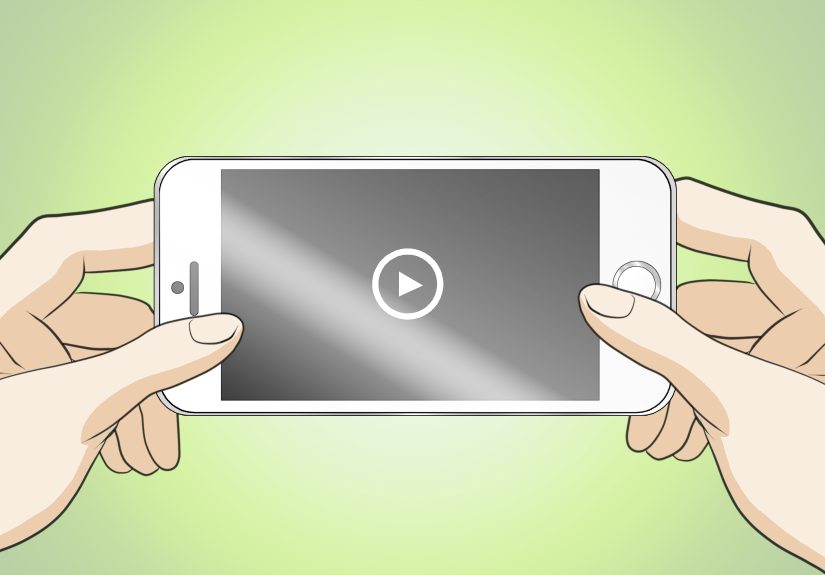
Because it is. Clean the lens first. Seriously. Half of “cinematic softness” is just fingerprints. Charge your phone fully, free up storage, switch on Do Not Disturb, and close unnecessary apps. Decide whether you are shooting horizontally or vertically before the first take. For most short films intended for web or video platforms, horizontal framing is the safer choice unless your concept is specifically built for vertical viewing.
If your Android camera app allows it, lock focus and exposure so the image does not constantly shift every time an actor moves. Test your video settings and stick with one look for the entire project. Consistency makes your final film feel polished, even if your tripod is technically a stack of books and one very brave coffee mug.
Step 7: Use Light You Already Have
You do not need a professional light kit to make a good-looking short film on Android. Window light is your best friend. Position your subject so the light falls across the face instead of blasting from behind. If the light is too harsh, soften it with a thin curtain. If one side of the face is too dark, bounce light back using a white wall, poster board, or even a sheet of paper in a pinch.
Avoid relying on ugly overhead room lighting when possible. It tends to create flat, tired-looking images that make everyone look like they got cast in “Office Flu: The Movie.” Use practical lamps in the background for atmosphere, but let your main light shape the subject. Good lighting is one of the fastest ways to make smartphone footage feel intentional.
Step 8: Stabilize the Phone Without Buying Gear
Shaky footage can work when it is motivated, but random hand jitter usually screams “I forgot to breathe.” Since this film is being made only with an Android smartphone, use whatever stable surfaces you have. Lean the phone against books, a cup, a shelf, a windowsill, or a folded towel. Hold the phone with both hands and tuck your elbows in if you must shoot handheld. Move slowly. Very slowly.
If you want motion, make it purposeful. A gentle push-in, a careful pan, or a slow follow can add energy. But do not move just because movement feels cinematic. Sometimes the most powerful thing a camera can do is stay still and let the performance carry the moment.
Step 9: Prioritize Audio Like Your Film Depends on It
Because it does. Viewers forgive less-than-perfect visuals much faster than bad sound. If you are recording only with the smartphone, get the phone as close to the actor as the framing allows. Shoot in quieter spaces. Turn off fans, TVs, and buzzing appliances. Wait for loud traffic to pass. Record a few seconds of room tone at every location so you have matching background sound in the edit.
Ask actors to pause before and after each line so your cuts are cleaner. If a take sounds messy, do it again. Great audio is not glamorous, but neither is re-editing an entire scene because a motorcycle performed its own monologue over your best line.
Step 10: Shoot More Than the Obvious Scene
Beginner filmmakers often capture only the main action and then discover the edit feels stiff. The fix is B-roll and coverage. Get wide shots to establish the scene. Get medium shots for action. Get close-ups for emotion. Then grab detail shots: hands, feet, objects, screens, doors, glances, clocks, keys, food, notebooks, whatever supports the story.
These extra shots help you hide cuts, improve pacing, and add visual variety. They also make your short film feel much more professional. If your scene is two people talking, the film should not be two heads trapped in one angle for three minutes like a hostage negotiation with bad lighting.
Step 11: Edit for Story, Not for Fancy Tricks
Once filming is done, edit directly on your Android smartphone using a mobile editing app or your device’s editing tools. Start by building the scene in the simplest possible way. Choose the best takes, arrange them in order, trim dead space, and make sure the emotional logic of the scene works. Then add cutaways, reaction shots, and inserts to tighten the rhythm.
Do not overload the film with transitions, filters, and dramatic effects just because the app offers them. Most of the time, clean cuts and steady pacing look better than a transition that resembles a portal opening inside a lava lamp. Adjust brightness and color gently for consistency. Balance the sound so dialogue stays clear. Add music only if it supports the mood and does not crush the scene under a blanket of over-earnest drama.
Step 12: Review, Export, and Learn From the Finished Film
Before you call it done, watch your short film all the way through on the phone and, if possible, on another screen. Check for audio spikes, awkward cuts, spelling mistakes in titles, and shots that go on too long. Ask one or two trusted people for feedback. Not twenty. Twenty opinions can turn a finished short film into a committee meeting with an identity crisis.
Export the best-quality version your phone can handle smoothly, then save backups. When you publish, write a strong title and description using relevant keywords naturally. If this is your first short film, do not judge it only by perfection. Judge it by completion. A finished imperfect short film teaches you more than an unfinished masterpiece living forever in your notes app.
Common Mistakes to Avoid When Making a Short Film on Android
- Writing something too big: If your story requires things you cannot control, simplify it.
- Ignoring sound: Bad audio can ruin strong visuals.
- Shooting without coverage: One angle is rarely enough.
- Using bad lighting: Move the actor, not just the camera.
- Skipping test clips: Ten seconds of testing can save hours of pain.
- Overediting: A short film should feel confident, not desperate to impress.
Final Thoughts
Creating a short film only using an Android smartphone is not a gimmick. It is a real creative process that rewards planning, problem-solving, and storytelling discipline. Your phone is small, but the possibilities are not. If you focus on script, framing, light, sound, and editing, you can build something memorable with tools already in your pocket.
So write the story. Clean the lens. Steal some beautiful window light. Shoot the wide, the medium, and the close-up. Capture room tone like the hero you are. Then edit until the film says exactly what you meant it to say. The best part is this: once you finish one short film, the next one gets easier. And that is how real filmmakers begin.
Experience and Lessons From Making a Short Film With Only an Android Smartphone
The first time I helped shape a short film shot only on an Android phone, the biggest surprise was not the camera quality. It was how quickly every small decision became important. On a bigger production, people often assume a mistake can be fixed later. With a phone-only shoot, “later” is a dangerous fantasy. If the room is noisy, the audio suffers now. If the framing is sloppy, it looks sloppy now. If the story is weak, no amount of mobile editing wizardry will suddenly transform it into a gripping drama about human existence and a missing sandwich.
What worked best was preparation. We kept the story tiny: two characters, one room, one emotional twist. That single decision made everything easier. Instead of scrambling across multiple locations, we focused on performance, timing, and visual detail. We used daylight from one large window and turned off the ugly ceiling light that made everybody look like they had not slept in six years. We leaned the phone against books for stable shots, then used a slow handheld move only in the one scene where tension needed to rise. Because we planned the movement, it felt expressive instead of accidental.
Audio turned out to be the real battlefield. We had one beautiful take interrupted by a motorcycle, one emotional line stepped on by a barking dog, and one otherwise perfect moment destroyed by a refrigerator hum that nobody noticed during filming. That experience taught a brutal but valuable lesson: silence is production value. Now, before recording, I listen to the room the same way I look at the frame. If a location sounds messy, it is messy, no matter how pretty it looks.
Editing on a smartphone was also more revealing than expected. The smaller screen forces you to pay attention to essentials. Does the cut make sense? Is the reaction shot too long? Does the scene feel alive? You stop obsessing over tiny technical vanity and start thinking about rhythm. We found that even simple insert shotsa hand tightening on a cup, a glance at a phone screen, a close-up of a door handlemade the film feel richer and gave us ways to smooth over cuts. That was the moment the project stopped feeling like “phone footage” and started feeling like an actual short film.
The most useful takeaway was psychological, not technical. Making a film with only an Android smartphone removes excuses. You stop saying, “I’ll start when I have better gear,” and start asking, “How do I make this scene better with what I have?” That shift is powerful. It builds the habit every filmmaker needs: solve the problem in front of you. Better light can come from a window. Stability can come from a shelf. Production design can come from rearranging a room. Tension can come from a pause. Emotion can come from a close-up. Once you understand that, the phone stops feeling like a limitation and starts feeling like access. And honestly, access is where a lot of great films begin.