Table of Contents >> Show >> Hide
- Before You Create: Make Sure You’re Allowed to Create This Page
- What You Need Before You Start
- Step-by-Step: How to Create the Facebook Page
- Make It Look Official: The “Trust Signals” Checklist
- Give the Right People the Right Access (Without Handing Over the Keys)
- Security Basics (Because Phishing Is Real and Annoying)
- Optimize for Discoverability (Facebook Search + Google)
- Content Strategy for Celebrities and Organizations
- Launch Checklist: What to Do in the First 7 Days
- Verification and Authenticity: What You Can (and Can’t) Control
- Common Mistakes (and How to Fix Them Fast)
- FAQ
- Real-World Experiences and Lessons from Building Pages (About )
Creating a Facebook Page for a celebrity or organization sounds simpleuntil you realize you’re building a public-facing “front door” that needs to look legit, stay secure, and be easy to find. Done right, your Page becomes a hub for updates, press mentions, events, fundraising, customer support, and community-building. Done wrong… it becomes a digital haunted house with an empty “About” section and a profile photo that looks like it was screenshot from a toaster.
This guide walks you through making a Facebook Page the right way: step-by-step setup, credibility boosters, security essentials, and practical examples for both celebrities and organizations. Let’s build something you’d be proud to put on a billboard.
Before You Create: Make Sure You’re Allowed to Create This Page
Facebook Pages are for businesses, brands, organizations, and public figures. The key word is authorized. If you’re creating a Page for a celebrity, a school, a charity, or a company, you should have permission from the person or the organization (or be an official representative). Impersonationpretending you’re authorized when you’re notcan get the Page reported and removed.
Official Page vs. Fan Page (Yes, There’s a Difference)
- Official Page: Managed by the celebrity, their team, or the organization’s authorized staff.
- Fan Page: Run by supporters. If you’re making a fan page, label it clearly (e.g., “Fan Page,” “Tribute,” “Unofficial”) and avoid logos, naming, or branding that makes it look official.
Pro tip: If your goal is to help a celebrity or organization, the safest path is to get written permission first and then build the Page as a proper official presence. It’s faster than rebuilding everything after an impersonation report.
What You Need Before You Start
Grab these basics so you’re not pausing mid-setup to hunt through old emails like an archaeologist:
- Page name: The exact public name of the celebrity or organization.
- Category: A best-fit category (you can adjust later, but start strong).
- Short bio: 1–2 sentences that explain who they are and why people should care.
- Profile picture: Logo (organization) or a clean headshot (celebrity).
- Cover image: Banner graphic, campaign image, tour promo, or brand photo.
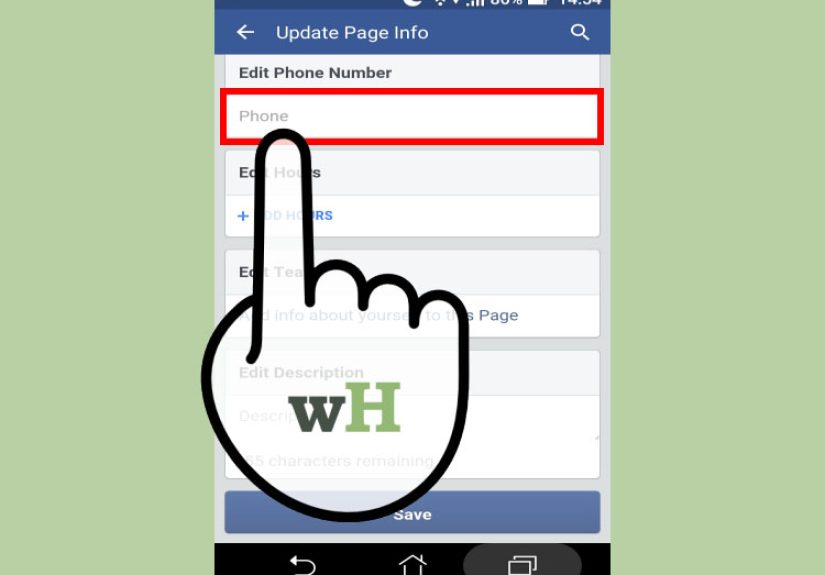
- Contact info: Email, phone, website, and/or public booking/contact method.
- Admin plan: Who gets access, and what level of control they need.
Step-by-Step: How to Create the Facebook Page
You’ll need a personal Facebook profile to create a Page. That doesn’t mean your personal profile becomes the “public face” of the Pageit’s simply the account used to create and manage it.
Option A: Create a Page on Desktop (Recommended for Setup)
- Log into Facebook on a computer browser.
- Go to the Pages section (usually in the left menu).
- Click Create new Page.
- Enter your Page name (official name) and choose a category.
- Add a short bio (you can expand later).
- Click Create.
- Add your profile photo and cover photo (don’t skipempty visuals scream “placeholder”).
- Complete the rest of your Page details (contact info, location, hours, etc.).
Option B: Create a Page on Mobile
- Open the Facebook app and log in.
- Tap the menu (often three lines).
- Find Pages (you may need to tap “See more”).
- Tap Create (or “Create new Page”).
- Enter the name, category, and bio, then follow prompts for photos and details.
Reality check: Mobile works, but desktop is usually easier for roles, settings, and finishing the “About” section without accidentally closing a pop-up and questioning every life choice you’ve ever made.
Make It Look Official: The “Trust Signals” Checklist
For celebrities and organizations, trust is the product. People want to know they’re following the real thingnot “Famous Person Real Official Page 2026 (No Scam).”
1) Nail the Name and Category
Choose a name that matches the real-world identity. For example:
- Celebrity: “Jordan Reyes” (not “Jordan Reyes (Actor/Model/Legend)”)
- Organization: “River City Animal Rescue” (not “Best Rescue In Town!!!”)
Pick the closest category. Categories help Facebook understand your Page and can affect discoverability and available features.
2) Write a Bio That Sounds Human (and Useful)
A good bio is short, specific, and doesn’t read like it was written by a committee of robots wearing neckties.
Celebrity bio example:
“Singer-songwriter. New EP ‘Midnight Letters’ out now. Tour dates + merch below.”
Organization bio example:
“Nonprofit providing free literacy tutoring for kids in Austin. Volunteer, donate, or partner with us.”
3) Add a Username (Your @ Handle)
Your Page username becomes your clean, shareable handle (like @RiverCityRescue). Aim for something consistent with the website domain and other social handles.
- Keep it simple: fewer underscores, fewer numbers, fewer regrets.
- Use official brand or stage name whenever possible.
- If the exact name is taken, try adding a meaningful qualifier (e.g., “Foundation,” “Official,” “HQ”).
4) Choose the Right Action Button (CTA)
That big button near the top of your Page is prime real estate. Pick one that matches your main goal:
- Organization: “Donate,” “Sign Up,” “Contact Us,” “Get Quote,” “Book Now”
- Celebrity: “Learn More,” “Send Message,” “Shop Now,” “Watch Video”
Example: A nonprofit sets the CTA to Donate linking to a secure donation page. A speaker sets it to Contact Us linking to their booking form.
5) Complete the About Section Like You Mean It
At minimum, fill in:
- Website
- Public contact email
- Location (if relevant)
- Hours (for offices, venues, or public-facing operations)
- Mission statement or “Our Story” (especially for nonprofits)
SEO-friendly note (without being spammy): Your Page name, username, and About section can help people find youboth inside Facebook and on search enginesso use clear, real-world wording people would actually search for.
Give the Right People the Right Access (Without Handing Over the Keys)
If you’re building a Page for a celebrity or an organization, you’re almost never working alone. The smart move is to use Facebook’s Page access and role settings so each teammate has appropriate permissions.
Suggested Access Setup
- Primary owner/admin (Full control): The organization lead, celebrity’s manager, or official representative.
- Content manager: Posts, comments, publishing tools.
- Community/support: Messages and comment moderation.
- Analyst: Insights and reporting only.
Best practice: Avoid having only one person with full control. People change jobs. Phones get lost. Coffee gets spilled on laptops. Redundancy is not dramait’s insurance.
Use Meta Business Suite When You Need Structure
For organizations (and celebrity teams), Meta Business Suite can make it easier to manage Page permissions, messages, content scheduling, and connected assets (like Instagram accounts and ad accounts). It’s especially helpful when you want access tied to work emails instead of personal friendships and “Wait, are we Facebook friends?” awkwardness.
Security Basics (Because Phishing Is Real and Annoying)
Public-facing Pages get targetedespecially Pages connected to public figures, nonprofits, and brands. A few habits reduce risk dramatically:
- Enable two-factor authentication for every admin account.
- Limit full-control access to only trusted decision-makers.
- Watch for fake “verification” messages and suspicious emails or DMs pushing urgent links.
- Use strong, unique passwords (a password manager helps).
- Review Page access monthlyremove people who no longer need it.
Quick test: If a message screams “YOUR PAGE WILL BE DELETED IN 12 MINUTES!!!” it’s probably not from a calm, professional platform team. Slow down and verify through official settings, not random links.
Optimize for Discoverability (Facebook Search + Google)
You don’t need to “do SEO” in a spammy way. You just need to remove friction so people can find the Page easily.
Simple Discoverability Wins
- Match names across platforms: Use the same spelling on Facebook, Instagram, YouTube, and the website.
- Use a consistent logo/headshot: Recognition beats novelty.
- Add location details: Especially for organizations with physical presence.
- Use natural keywords: “Nonprofit literacy tutoring in Austin” is helpful; “BEST LITERACY AUSTIN LITERACY LITERACY” is not.
- Link the Page from the official website: It’s a strong trust signal for users (and helpful for search engines).
Content Strategy for Celebrities and Organizations
A Page isn’t just a digital business card. It’s a living channel. Here are content approaches that work without requiring you to post 14 times a day like you’re paid in caffeine.
For a Celebrity Page
- Pin a “Start here” post: New music/book/film link, tour dates, official site.
- Behind-the-scenes content: Rehearsals, studio moments, travel days (within privacy limits).
- Short video clips: Announcements perform well when they feel direct and personal.
- Community boundaries: Set comment guidelines and moderate consistently.
For an Organization Page
- Mission in action: Show the work, not just the logo.
- Proof and outcomes: Testimonials, impact metrics, before/after stories.
- Events and updates: Clear dates, times, locations, and next steps.
- Support workflow: Use messaging thoughtfully, with saved replies for common questions.
Posting cadence idea: 3–5 quality posts per week beats daily filler. Consistency matters more than volume.
Launch Checklist: What to Do in the First 7 Days
Most Pages don’t fail because Facebook is “dead.” They fail because they launch half-finished and then go quiet like they’re in witness protection.
Day 1–2: Finish the Foundation
- Profile photo + cover photo uploaded
- Bio, website, email, and key info completed
- Username (@handle) set
- CTA button configured and tested
Day 3–4: Publish “Credibility Content”
- A pinned “Welcome” post
- 2–3 posts that show who you are (mission, product/service, or major announcement)
- Photos or videos that look professional (clear, well-lit, on-brand)
Day 5–7: Invite, Connect, and Promote
- Invite relevant followers (avoid spammy mass invites)
- Link the Page from the official website and email signature
- Cross-promote on Instagram, YouTube, LinkedIn, or a newsletter
- Reply to early comments and messages promptly (fast responses build trust)
Verification and Authenticity: What You Can (and Can’t) Control
Verification can help audiences trust your Pageespecially for celebrities and well-known organizations. But it’s not just a “press button, receive blue badge” situation. There are typically different pathways, including subscription-based options and more traditional verification that focuses on notability.
What Helps Your Verification Odds
- Complete Page information: Bio, website, profile photo, cover photo, contact details.
- Consistent branding: Matches other official channels.
- Public presence: Being notable or widely searched helps.
- Authenticity signals: Official website links to the Page, press mentions, and consistent naming.
Important: Avoid third-party “verification services” promising guaranteed badges. If someone says they can “guarantee” verification, what they’re really selling is optimism with a side of potential scam.
Common Mistakes (and How to Fix Them Fast)
Mistake 1: The Page Looks Empty
Fix: Complete the About section, add photos, set a CTA, and publish 3–5 strong starter posts before heavily promoting it.
Mistake 2: Too Many Admins With Full Control
Fix: Limit full-control access to decision-makers. Give task-based access to everyone else.
Mistake 3: The Name/Handle Doesn’t Match the Brand
Fix: Align naming with official branding. If you must change the name, follow Facebook’s Page name guidelines and keep it close to the real identity.
Mistake 4: Getting Flooded With Spam Comments
Fix: Set moderation filters, define comment guidelines, hide/block repeat offenders, and keep responses professional.
Mistake 5: Falling for “Urgent Account Alert” Messages
Fix: Train admins to verify alerts inside official settings, enable two-factor authentication, and never click random links demanding logins.
FAQ
Can I create a Page for a celebrity if I’m a fan?
You can create fan communities, but you shouldn’t create a Page that looks official unless you’re authorized. If you do create a fan Page, label it clearly as unofficial and avoid misleading branding.
Do I need Meta Business Suite?
No, but it’s helpful if multiple people manage the Page, if you run ads, or if you want cleaner control over permissions and connected assets.
What should the first post be?
A “Welcome” post that states who the Page represents, what people can expect, and where to find official links. Pin it so new visitors immediately understand they’re in the right place.
Should I use a Page or a Profile for an organization?
Use a Page. Profiles are for individuals. A Page provides business/public features like analytics, categories, and action buttons.
Real-World Experiences and Lessons from Building Pages (About )
In real launches, the “Create Page” part is rarely the hard part. The hard part is everything that happens after someone shares the linkand the internet shows up with opinions, questions, and the occasional person who types in all caps like it’s a lifestyle choice.
Lesson 1: The About section is your bouncer. Teams often discover that an incomplete About section invites confusion. People message, “Is this the real Page?” or “Where do I donate?” or “Are you open on Sundays?” If your About section answers those questions upfront, your inbox becomes manageable. A small nonprofit, for example, can reduce repetitive DMs by adding a clear donation link, volunteer signup info, and a short “What we do” line. It’s like putting labels on kitchen drawers: not glamorous, but suddenly everyone can find the spatula.
Lesson 2: One Page owner is a single point of failure. Many organizations start with one person running everythingthen that person goes on vacation, changes jobs, or simply gets locked out. The “new Page experience” and Page access controls exist for a reason: set up at least two trusted people with full control, then distribute other permissions based on tasks. A celebrity team might give the manager full control, the publicist publishing access, and a moderator messaging/comment toolsso nobody accidentally changes core settings while trying to post a tour poster.
Lesson 3: Consistent branding beats “creative reinvention.” It’s tempting to make a cover photo that’s wildly different from everything else. But audiences trust what they recognize. When your Facebook headshot matches the Instagram headshot, and your username matches the website, people stop hesitating. For a public figure, that hesitation matters: if fans aren’t sure it’s real, they won’t follow, they won’t share, and they definitely won’t click the merch link.
Lesson 4: The first week sets expectations. Pages that launch with three solid posts and a pinned “Start here” message tend to grow faster than Pages that launch with one lonely post and then disappear for a month. For an organization, a strong first week might include: a mission post, an impact story, and an upcoming event announcement. For a celebrity, it might include: an intro video, a current project link, and a behind-the-scenes moment. People follow Pages that feel alivelike they’re managed by humans, not by a shrug.
Lesson 5: Security is part of branding now. Teams increasingly treat security like reputation management. A hacked Page doesn’t just create inconvenienceit creates public confusion, scam risk, and trust damage. The most reliable approach is boring (and that’s a compliment): two-factor authentication for admins, minimal full-control access, and healthy skepticism about alarming “account violation” messages. If you build security into your setup from day one, you spend less time later doing digital firefighting.
Bottom line: the best Pages feel official, answer questions quickly, protect access carefully, and publish consistentlywithout trying to be everywhere all the time. Think of it as building a sturdy stage: once it’s solid, the performance gets a whole lot easier.