Table of Contents >> Show >> Hide
- Can You Mass Unfollow on Instagram?
- Why Safety Matters Before You Start
- The Safest Way to Mass Unfollow on Instagram
- Step-by-Step: How to Do a Safe Instagram Unfollow Cleanup
- What Not to Do
- What to Do If Instagram Temporarily Limits You
- Better Alternatives to a Massive Unfollow Spree
- Real-World Experiences With Mass Unfollowing on Instagram Safely
- Final Thoughts
- SEO Tags
Let’s be honest: sometimes your Instagram following list starts out as a curated garden and ends up looking like a yard sale. One minute you are following a few friends, favorite creators, and a bakery that posts heroic cinnamon rolls. The next minute you are following giveaway accounts, old meme pages, three ex-coworkers, and a guy who somehow only posts blurry photos of fish.
If your feed feels crowded, irrelevant, or just plain chaotic, a cleanup makes sense. But here is the catch: trying to mass unfollow accounts on Instagram too aggressively can create problems. The safest approach is not a magic “unfollow everybody” button. It is a deliberate cleanup plan that protects your account, improves your feed, and avoids the sketchy shortcuts that can get you temporarily limited, flagged, or locked out.
In this guide, you will learn how to mass unfollow accounts on Instagram safely, what to avoid, which alternatives are smarter than a giant purge, and how to clean up your account without making Instagram think a caffeine-powered robot took over your thumbs.
Can You Mass Unfollow on Instagram?
Technically, you can unfollow a lot of accounts over time. But Instagram does not offer a clean, native “mass unfollow all” feature for ordinary users. That means if you want to slim down your following list, you generally have two paths: do it manually inside Instagram, or gamble with third-party tools that promise to do it for you.
Guess which path is safer.
Manual unfollowing is slower, but it is much less risky. It keeps you inside Instagram’s normal user flow, avoids handing your login to random apps, and gives you a chance to decide who actually deserves a spot in your feed. Third-party “growth” or “unfollow” tools, on the other hand, often advertise speed while quietly waving a giant red flag over your account.
So yes, you can mass unfollow in the practical sense. No, you should not treat Instagram like a leaf blower and blast through your following list at top speed.
Why Safety Matters Before You Start
Most people think the only downside of an unfollow spree is a little finger cramp. Not quite. Safety matters for three reasons: account limits, account security, and account quality.
1. Account limits
Instagram watches for behavior that looks spammy or automated. If you move too fast, repeat the same actions over and over, or use bulk-action tools, your account may run into temporary restrictions. That can mean action blocks, extra verification, or a general feeling that the app is now side-eyeing you.
2. Account security
Many mass unfollow tools ask for your Instagram login or unusual permissions. That is where things get ugly. Giving your password to a questionable service is like handing your house key to a stranger because they promised to organize your closet. Maybe they do. Maybe they also steal your TV.
3. Feed quality
A reckless purge can also backfire. You might unfollow people you actually wanted to keep, lose sight of useful accounts, or overcorrect and turn your feed into an empty digital desert. A safe cleanup should improve your Instagram experience, not make it feel like you moved into a very quiet cave.
The Safest Way to Mass Unfollow on Instagram
If your goal is to mass unfollow accounts on Instagram safely, the winning formula is simple: manual batches, smart filtering, and a little patience.
Use small, manual batches
Do not try to unfollow hundreds of accounts in one burst. Instead, work in smaller sessions. That approach looks more like normal human behavior and gives you time to think. You are not racing a game show buzzer. You are cleaning your digital living room.
A practical rhythm is to unfollow a reasonable batch, pause, and come back later. Spread the cleanup across several days if your following list is huge. Slow and steady may not sound thrilling, but it is much better than getting blocked and angrily whispering, “I was just trying to remove fifteen sneaker raffle pages.”
Review accounts by category
The easiest way to clean up safely is to sort people into categories:
Easy unfollows: inactive accounts, spammy pages, old giveaway accounts, strangers you do not remember, duplicate brand accounts, and content that no longer interests you.
Maybe later: acquaintances, professional contacts, niche creators, and brands you occasionally find useful.
Keep: close friends, favorite creators, must-follow news or industry sources, and accounts that consistently improve your feed.
This method reduces regret and keeps the cleanup purposeful.
Unfollow from your “Following” list
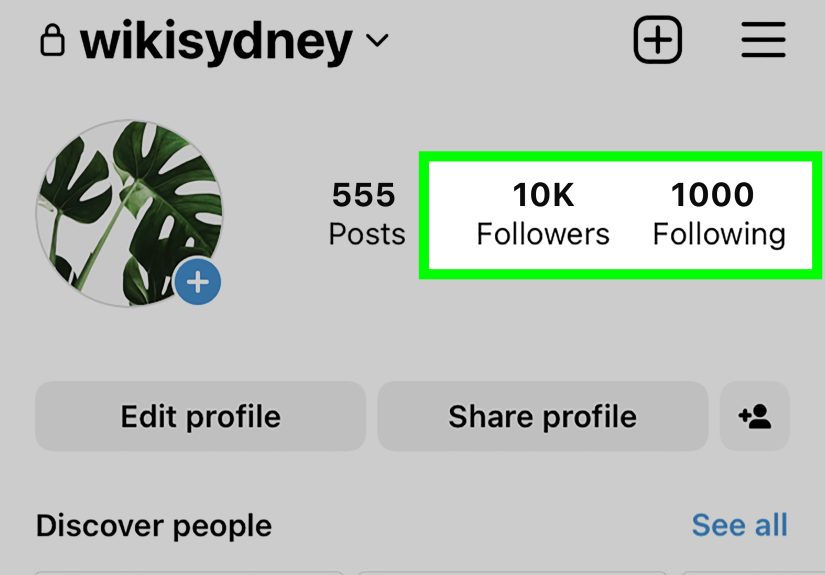
The cleanest method is the obvious one: open your profile, tap the list of accounts you follow, and review one by one. This is not flashy, but it is reliable. It also lets you spot patterns. You may discover that half your following list consists of fitness pages you followed during a highly motivated weekend in January three years ago.
Use alternatives when unfollowing is too drastic
Sometimes unfollowing is not the best move. Instagram gives you other ways to make your feed less annoying:
Mute: Great for people you know in real life but do not need to hear from twelve times a day.
Favorites: Useful if you want your actual favorite accounts to show up more prominently.
Following feed: Helpful when you want to see posts from people you already follow without the usual pile of distractions.
Not Interested: A smart option for reducing suggested content you never asked for in the first place.
In many cases, a better feed comes from controlling what you see, not just slashing who you follow.
Step-by-Step: How to Do a Safe Instagram Unfollow Cleanup
Step 1: Decide why you are cleaning up
Are you trying to improve engagement, reduce clutter, protect your privacy, or simply stop seeing content that no longer fits your life? Knowing your reason helps you make smarter unfollow choices.
Step 2: Back away from “mass unfollow” apps
If an app promises one-tap unfollowing, lightning-fast results, or “growth hacksap unfollowing, lightning-fast results, or “growth hacks,” treat that promise the way you would treat gas station sushi: with caution and a healthy sense of self-preservation. Avoid tools that ask for your Instagram password or seem designed around artificial engagement.
Step 3: Check connected apps and permissions
Before you start cleaning up, review any apps or websites connected to your Instagram account. If you see something suspicious, outdated, or unnecessary, remove it. This step is smart even if you never use a mass unfollow tool, because old app permissions can linger longer than an awkward group chat.
Step 4: Turn on extra security
Use a strong password and enable two-factor authentication. This is especially important if you have ever connected your Instagram account to outside tools. A cleanup is the perfect moment to tighten security, like changing the locks after realizing you once gave a spare key to someone named “GrowthWizard_247.”
Step 5: Start with obvious low-value follows
Remove the easiest ones first: inactive accounts, low-quality pages, repetitive promotional accounts, and content you actively avoid. This gives you fast progress without forcing hard choices right away.
Step 6: Pace yourself
Take breaks. Spread the process out. If Instagram starts behaving oddly, stop and come back later. A safe cleanup should feel controlled, not frantic.
Step 7: Rebuild your feed intentionally
Once you have trimmed your list, strengthen the good part of your feed. Add favorite accounts to Favorites, mute people instead of hate-following them, and interact more with content you actually care about. Instagram tends to respond to your behavior, so give it better signals.
What Not to Do
Here is the part where we save your future self from preventable drama.
Do not use sketchy bots
Automation that imitates human engagement is where many users get into trouble. Bulk follow, bulk unfollow, auto-like, auto-comment, auto-anything-that-looks-like-a-robot is not the vibe.
Do not hand over your password casually
If a service asks for your login credentials, stop and think hard. Legitimate account safety starts with controlling who has access.
Do not do a giant purge in one sitting
Even if you are determined, your account does not need that kind of adrenaline rush. Large bursts of repetitive activity can look unnatural.
Do not chase myths about exact “safe limits”
You will find forum posts and random videos claiming there is a magic number of unfollows that is always safe. Treat those with skepticism. Platform behavior changes, account history matters, and no universal cheat code exists.
Do not confuse cleanup with strategy
If you run a creator or business account, unfollowing hundreds of people will not magically fix weak content, inconsistent posting, or poor audience fit. A cleanup can help your feed and reduce clutter, but it is not a substitute for an actual Instagram strategy.
What to Do If Instagram Temporarily Limits You
If Instagram slows you down, blocks an action, or makes you verify something, do not panic and definitely do not keep hammering the unfollow button like it insulted your family.
Instead:
Stop the cleanup for now. Give your account a break.
Review app access. Remove suspicious or unnecessary connected apps.
Change your password. Especially if you have used outside tools in the past.
Turn on two-factor authentication. This helps protect your account going forward.
Resume later, more slowly. The lesson is not “never clean up.” The lesson is “your account wants you to behave like a human, not a forklift.”
Better Alternatives to a Massive Unfollow Spree
Sometimes the smartest solution is not to unfollow a thousand accounts. It is to make Instagram work better for you.
Mute noisy accounts
Muting is perfect when you want peace without social awkwardness. It is the digital equivalent of turning down the volume instead of throwing the speaker out the window.
Use Favorites for your must-see people
If your best accounts get lost in the mess, Favorites can help you prioritize them.
Train recommendations with “Not Interested”
If the problem is not who you follow but what Instagram keeps suggesting, use the available controls. This is often a faster fix than unfollowing everyone who ever posted one mildly annoying Reel.
Switch to a more intentional following habit
Going forward, follow fewer accounts impulsively. Before tapping Follow, ask one question: “Do I want this account shaping my feed a month from now?” If the answer is “maybe,” that is usually a polite no.
Real-World Experiences With Mass Unfollowing on Instagram Safely
People usually decide to mass unfollow on Instagram for one of four reasons: their feed feels messy, their interests changed, they followed too many accounts during a growth phase, or they suddenly realize they are seeing content from everyone except the people they actually care about. The experience is rarely dramatic at first. It usually starts with a thought like, “Why am I seeing seventeen luxury watch pages when I do not even own a watch?”
A common experience is that the first cleanup session feels surprisingly satisfying. Users often remove obvious accounts quickly: abandoned pages, spammy meme accounts, low-value promos, and people they genuinely do not remember following. That first wave creates momentum. The feed starts to feel lighter almost immediately, and the person cleaning up usually thinks, “Great, I should do all 1,200 today.” That is where the unsafe version begins.
The safer users tend to do better because they treat the cleanup like a reset, not a sprint. They unfollow in batches, leave the app, and return later. They also pause to use mute instead of unfollow when the relationship is personal but the content is not essential. That one decision saves a lot of regret. Nobody wants to explain at dinner why they unfollowed their cousin’s candle business and their aunt’s dog account in the same afternoon.
Another common lesson is that security matters more than people expect. Users who previously tried third-party growth tools often discover connected apps they forgot about. Removing those apps, updating passwords, and turning on two-factor authentication becomes part of the cleanup process. In many cases, that security refresh is just as valuable as the unfollowing itself. A cleaner following list is nice. A safer account is nicer.
People also notice that mass unfollowing does not solve every Instagram problem. If the algorithm still serves irrelevant suggestions, or if the person keeps following random accounts every weekend, the clutter comes right back. The best long-term experience comes from combining cleanup with better habits: follow more intentionally, mute more often, use Favorites, and stop treating every mildly interesting account like a lifelong subscription.
One of the funniest patterns is post-cleanup clarity. After a thoughtful unfollow reset, many users realize how much mental noise they had normalized. Their feeds become more useful, more entertaining, and less chaotic. They see more friends, more creators they actually care about, and fewer posts that make them ask, “Who is this person and why are they teaching me to get rich with vending machines?”
In the end, the best experience with mass unfollowing on Instagram safely is not speed. It is control. The process works when it is boring in the best possible way: no panic, no weird login requests, no temporary blocks, no accidental social disasters, and no robot-energy behavior. Just a cleaner account, a calmer feed, and the quiet joy of realizing your Instagram finally feels like yours again.
Final Thoughts
If you want to mass unfollow accounts on Instagram safely, forget the fantasy of a one-click miracle. The safest method is a controlled, manual cleanup supported by smart privacy habits and realistic pacing. Yes, it takes longer. No, it is not glamorous. But it is far better than risking your account for the convenience of an app with a suspicious logo and a spelling mistake in the word “secure.”
Start with easy unfollows, use mute when that makes more sense, review connected apps, update your security, and pace the process over time. Done right, your Instagram feed becomes more relevant, less noisy, and a lot more enjoyable to open. Which is really the whole point.