Table of Contents >> Show >> Hide
- What Is a Passcode, Exactly?
- Passcode vs. PIN vs. Password vs. Passphrase vs. Passkey
- Where You Commonly Use a Passcode
- Why a Passcode Matters More Than People Think
- What Makes a Strong Passcode?
- Common Passcode Mistakes to Avoid
- Are One-Time Passcodes the Same Thing?
- Best Practices for Using a Passcode Well
- Real-World Experiences With Passcodes
- Final Thoughts
Note: Clean publication-ready HTML body only. No source links or contentReference markup included.
A passcode sounds simple. Almost too simple. It is the tiny gatekeeper standing between your private life and whoever happens to pick up your phone, guess your login, or “accidentally” peek over your shoulder at the coffee shop. In other words, it may be small, but it carries big responsibilities.
In plain English, a passcode is a secret code used to unlock a device, verify your identity, or approve access to an account or service. Sometimes it is a short numeric code on your phone. Sometimes it is a temporary code texted or emailed to you during login. Either way, the job is the same: prove that you are really you.
That sounds straightforward, but the word “passcode” gets tossed around with cousins like PIN, password, passphrase, and passkey. They are related, but they are not identical twins. Understanding the difference matters because the strongest security setup is not just about having a code. It is about using the right kind of code, in the right place, with the right backup.
This guide breaks down what a passcode is, how it works, why it matters, and how to make yours smarter than the classic “123456.” Because yes, hackers also know that one. Shocking, I know.
What Is a Passcode, Exactly?
A passcode is a memorized secret that lets a system confirm your identity. In everyday life, that usually means one of two things:
- A device-unlock code, such as the code you enter to unlock your smartphone, tablet, or laptop.
- A temporary verification code, such as a one-time passcode sent by text, email, or an authenticator app when you sign in.
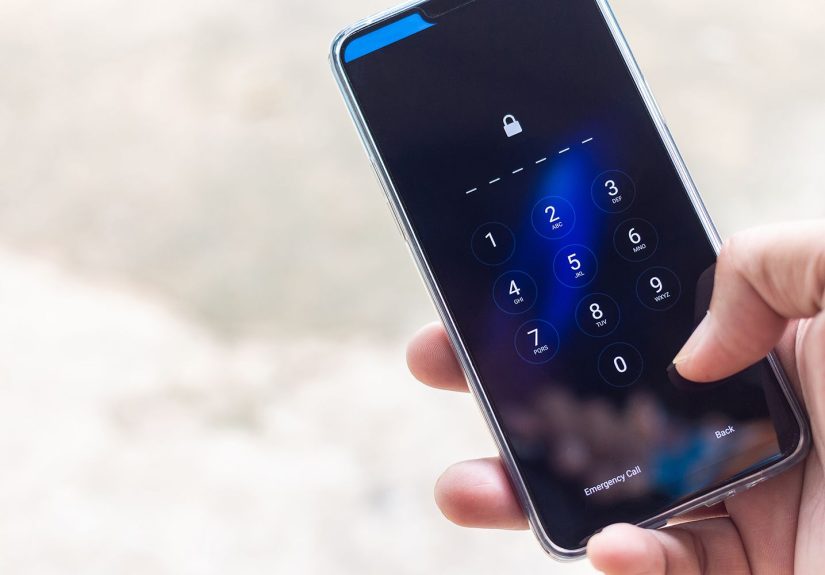
Most people first meet passcodes on their phones. You wake the screen, type a few digits, and your digital life opens like a garage door with better gossip. That passcode helps prevent someone else from getting into your apps, messages, photos, and stored account data.
But passcodes also appear in account security. You sign in to a site, and it asks for a one-time code. That temporary passcode is often part of two-factor authentication or multi-factor authentication, meaning the service wants more proof than a password alone.
So if you have ever unlocked a phone with six digits or typed a one-time code from a text message, congratulations: you and passcodes go way back.
Passcode vs. PIN vs. Password vs. Passphrase vs. Passkey
This is where many people get tripped up. The terms overlap, and companies are not always picky about using them consistently. Still, the differences are useful.
Passcode vs. PIN
A PIN, or Personal Identification Number, is usually a short numeric code. Your debit card PIN is a classic example. A phone PIN also fits this category. A passcode can be a PIN, but the term passcode is broader and may include numeric or alphanumeric formats depending on the device or service.
Passcode vs. Password
A password is usually tied to an online account rather than a physical device. It is often longer and can include letters, numbers, and symbols. A passcode is often shorter and frequently used for unlocking or short-form verification.
Passcode vs. Passphrase
A passphrase is basically the overachiever of the family: longer, easier to remember, and often made from multiple words. Think of it as a password with better storytelling skills. Passphrases are especially useful for account security because length helps a lot.
Passcode vs. Passkey
A passkey is newer and works differently. It is not just something you memorize. It uses cryptographic credentials stored on your device, often combined with your face, fingerprint, or local PIN. Passkeys are designed to reduce phishing risk and move beyond traditional passwords. In that setup, your local device PIN or passcode may still play a role, but the passkey does the heavy lifting behind the scenes.
Here is the practical takeaway: a passcode is a category of secret code, but the security world has several flavors. Knowing which one you are using helps you make better decisions.
Where You Commonly Use a Passcode
1. On Smartphones and Tablets
This is the most familiar use. Your phone passcode protects access to messages, photos, email, banking apps, saved passwords, and sometimes even payment tools. On modern devices, the passcode often works alongside biometrics like Face ID, fingerprint unlock, or similar features on Android and Windows devices.
2. On Laptops and PCs
Many computers let you sign in with a PIN or local device code instead of typing a full account password every single time. That is more convenient, and on some systems it is also more device-specific, which can improve security when configured correctly.
3. At ATMs and Payment Terminals
Your bank card PIN is a type of passcode. It confirms that the person holding the card is authorized to use it. That extra step is a simple but powerful security barrier.
4. In Two-Factor Authentication
One-time passcodes are common during sign-in. You enter your password first, then a service sends a temporary code by text, email, or an authenticator app. It is not perfect, but it is much better than relying on a password alone.
5. In Security Recovery and Verification
Passcodes also pop up when you reset a password, approve a new login, or verify a sensitive change like updating your email address or withdrawing money. In those moments, the passcode acts like a second opinion from your security system.
Why a Passcode Matters More Than People Think
It is easy to underestimate a passcode because entering it takes two seconds and zero drama. But a strong passcode can protect a surprising amount of your life.
First, it protects your privacy. Your device probably stores years of photos, private conversations, browser history, saved notes, location data, documents, and account access. Without a passcode, that information is far too easy to reach.
Second, it helps protect your money. If your phone contains banking apps, shopping apps, or payment tools, a weak or disabled passcode is basically a welcome mat for fraud.
Third, it protects your accounts. Many services send password resets, verification codes, and login approvals to your phone. If someone unlocks your device, they may be able to chain together access to other accounts.
Fourth, it works as a backup for biometrics. Face and fingerprint unlock are convenient, but they still rely on a passcode behind the scenes. When a device restarts, when biometric attempts fail, or when security settings change, the passcode is usually the fallback.
So no, a passcode is not just a minor inconvenience between you and your weather app. It is one of the core layers of device security.
What Makes a Strong Passcode?
A strong passcode is hard for other people to guess and easy enough for you to remember without taping it to the back of your phone case like a villain in a cybersecurity training video.
Use more than four digits
Four-digit codes are still around, but they are not ideal. Six digits is a much better baseline for phones, and longer is better when your device allows it.
Avoid obvious patterns
Stay away from birthdays, anniversaries, addresses, repeating numbers, or tidy little sequences like 111111, 123456, or 2580. If your passcode can be guessed by someone who follows you on social media for ten minutes, it needs retirement.
Choose alphanumeric when it makes sense
Some devices let you create a custom alphanumeric passcode. That usually provides stronger protection than a short numeric code, especially for devices that hold sensitive work data, financial information, or business access.
Keep it private
This sounds obvious until people start reading out verification codes over the phone to fake bank reps, fake tech support, or fake delivery texts. A passcode only works when it stays yours.
Use different credentials for different purposes
Your phone passcode should not also be your ATM PIN, your garage keypad code, your luggage code, and your “secret” family Netflix PIN. That is not convenience. That is a domino setup.
Common Passcode Mistakes to Avoid
- Using a passcode that is too short just because it is fast to type.
- Reusing the same code everywhere, which multiplies the damage if it is exposed.
- Turning off the passcode at home because it feels safe. Theft, visitors, and opportunistic access do not always announce themselves politely.
- Relying only on SMS codes and assuming that means you are invincible.
- Sharing one-time passcodes with anyone, even someone claiming to be from your bank, employer, or favorite online service.
- Ignoring software updates, which can leave even a decent passcode guarding a poorly defended system.
Security usually fails in the boring places. Not because people are careless on purpose, but because convenience is seductive and passcodes are repetitive. The trick is building habits that still work on your lazy days.
Are One-Time Passcodes the Same Thing?
Yes and no.
A one-time passcode, often called an OTP, is still a passcode because it is a code used to verify identity. But unlike your regular phone unlock code, it is temporary. It may last only a few minutes and is usually valid for a single login or action.
These one-time passcodes are common in multi-factor authentication. They add an extra hurdle for attackers. Even if someone steals your password, they may still need that temporary code to get in.
That said, not all one-time passcodes are equally strong. Codes sent by text message are convenient, but they can be vulnerable to phishing and phone-number attacks. Authenticator apps and hardware security keys are generally stronger options for important accounts. Passkeys are increasingly becoming an even better alternative because they are designed to resist phishing more effectively.
So if a website asks for a one-time passcode, that is a good sign. If it offers an authenticator app or passkey instead of only SMS, that is usually even better.
Best Practices for Using a Passcode Well
Turn on screen lock and keep it on
The best passcode in the world cannot help if the device never asks for it. Set a reasonable auto-lock timer and let your device lock when idle.
Pair your passcode with biometrics
Face and fingerprint unlock make strong security easier to live with. They reduce the temptation to choose a weak code just because you are tired of typing.
Enable multi-factor authentication on major accounts
Your email, banking, cloud storage, and primary social accounts deserve more than a password. Add that second layer.
Use a password manager for account passwords
Your device passcode and your online account passwords solve different problems. Let a password manager handle long, unique account passwords so your brain is not forced into bad shortcuts.
Do not type codes into suspicious pages
Phishing pages love urgent messages, fake login alerts, and “confirm now” drama. Before entering a passcode or verification code, make sure you are on the real site or in the real app.
Have a recovery plan
Know how your device or account can be recovered if you forget the code. Security is not just about keeping people out. It is also about making sure you can still get back in.
Real-World Experiences With Passcodes
Passcodes seem abstract until real life gets involved, and then they suddenly become the main character.
Take the classic lost-phone moment. One minute your phone is on the restaurant table. The next minute it is gone, and your soul leaves your body for six dramatic seconds. In that moment, a strong passcode is not some boring setup screen you rushed through last year. It is the difference between “annoying inconvenience” and “full-scale digital disaster.” A thief with a locked phone has a problem. A thief with an unlocked phone has opportunities.
Then there is the family passcode problem, which deserves its own documentary. One person uses 1111 because it is “easy.” Another uses a birthday. Someone else uses the last four digits of their phone number, as if hackers have not discovered arithmetic yet. The scary part is not that these codes are weak. It is that people feel strangely loyal to them. Weak passcodes become emotional support numbers.
I have also seen the opposite problem: the person who creates a heroic, ultra-secure, impossible-to-remember code and forgets it two days later. Now the device is secure from attackers, roommates, coworkers, and its actual owner. That is not ideal. Good passcode security lives in the middle ground. Strong enough to resist guessing, practical enough to remember.
One of the most common modern passcode experiences is the fake verification scam. A text arrives saying there is suspicious activity on your bank account. A caller claims to be customer support. They say they just sent you a security code and need you to read it back “for verification.” That is the trap. The code is often the exact thing protecting your account, and the scammer is trying to use your passcode to log in as you. The code feels routine, but the situation is not. If someone contacts you first and asks for a one-time code, that is your cue to stop the conversation immediately.
Another real-world lesson comes from travel. Airports, hotels, and public spaces are wonderful places to discover how visible your screen really is. A short, simple passcode may feel harmless at home, but in crowded environments it can be shoulder-surfed surprisingly easily. People do not need spy gadgets. They just need eyeballs and bad intentions. Longer passcodes and biometric unlock become much more attractive when strangers are standing eighteen inches away.
Work devices add another layer. Many people grumble when their employer requires a stronger PIN, biometric sign-in, or multi-factor authentication prompt. Then a laptop gets left in a rideshare, and suddenly those “annoying” rules look very wise. Security settings often feel unnecessary right up until the moment they are the reason a mistake does not become a breach.
Even kids and older adults run into passcode issues in interesting ways. Kids love convenience and are legendary fans of easy codes. Older adults may use memorable numbers that are easy to recall but also easy to guess. Both groups benefit from patient setup, not lectures. The best passcode advice is realistic, repeatable, and kind. Nobody becomes more secure because they got yelled at by a nephew during Thanksgiving dessert.
The bigger point is this: passcodes are not just technical settings. They are daily habits. They show up when you are tired, rushed, distracted, traveling, worried, or multitasking. That is why the best passcode is not merely “strong” in theory. It is one you can actually use consistently in real life.
Final Thoughts
So, what is a passcode? It is a secret code that helps unlock devices, verify logins, and protect access to sensitive information. Sometimes it is the code that opens your phone. Sometimes it is the temporary code that proves a login is legitimate. Either way, it is one of the most basic and important tools in digital security.
A good passcode will not solve every security problem on earth. It will not stop phishing all by itself, and it will not magically fix bad account habits. But it is a foundational layer. When combined with biometrics, strong account passwords, a password manager, software updates, and multi-factor authentication, it does a lot of quiet, valuable work.
If your current passcode is short, obvious, reused, or based on your birthday, pet, or lucky number, consider this your gentle nudge from the internet. Your future self would probably appreciate an upgrade.